
Biotech finance · Series A comparison
TrialAgents Runway vs LivePlan: startup financial planning for pre-revenue biotechs
Your funding plan explains the business. Your operating plan decides which work the cash can support. Choose the software around the job.
First-party comparison using Runway 2.1.0 and LivePlan’s official documentation, reviewed 13 November 2026. No hands-on LivePlan benchmark or new ChatGPT/Claude acceptance test is claimed.
Choose TrialAgents Runway for a customizable biotech app that connects monthly cash, people and program milestones through supported AI conversations and browser workflows. Consider LivePlan when the deliverable is a business plan backed by integrated financial statements and accounting actuals. Both support AI-assisted planning; either still needs reviewed assumptions.
A pre-revenue team can have a persuasive fundraising story and still lack a clear answer to “which commitments can we afford before the next result?” We would separate those two jobs during software selection. LivePlan’s business-plan builder combines narrative, linked financial charts and exportable plans. TrialAgents Runway starts with the monthly operational inputs behind the cash position.
Bring the working plan into the conversation
TrialAgents supports working with the app interface and authorized records through ChatGPT and Claude, then continuing in the browser. Ask for a draft set of spending inputs, review it, and inspect the app’s calculated forecast. Available surfaces depend on the host and connection; support does not imply identical behavior everywhere.
LivePlan also has substantive AI support. Its product updates document guided AI forecasting and forecast import. Its early-access MCP connector documents reading and changing plans, forecast items and scenarios, with Claude-focused guidance and a custom ChatGPT connection path. We have not independently tested those host experiences or an embedded LivePlan interface.
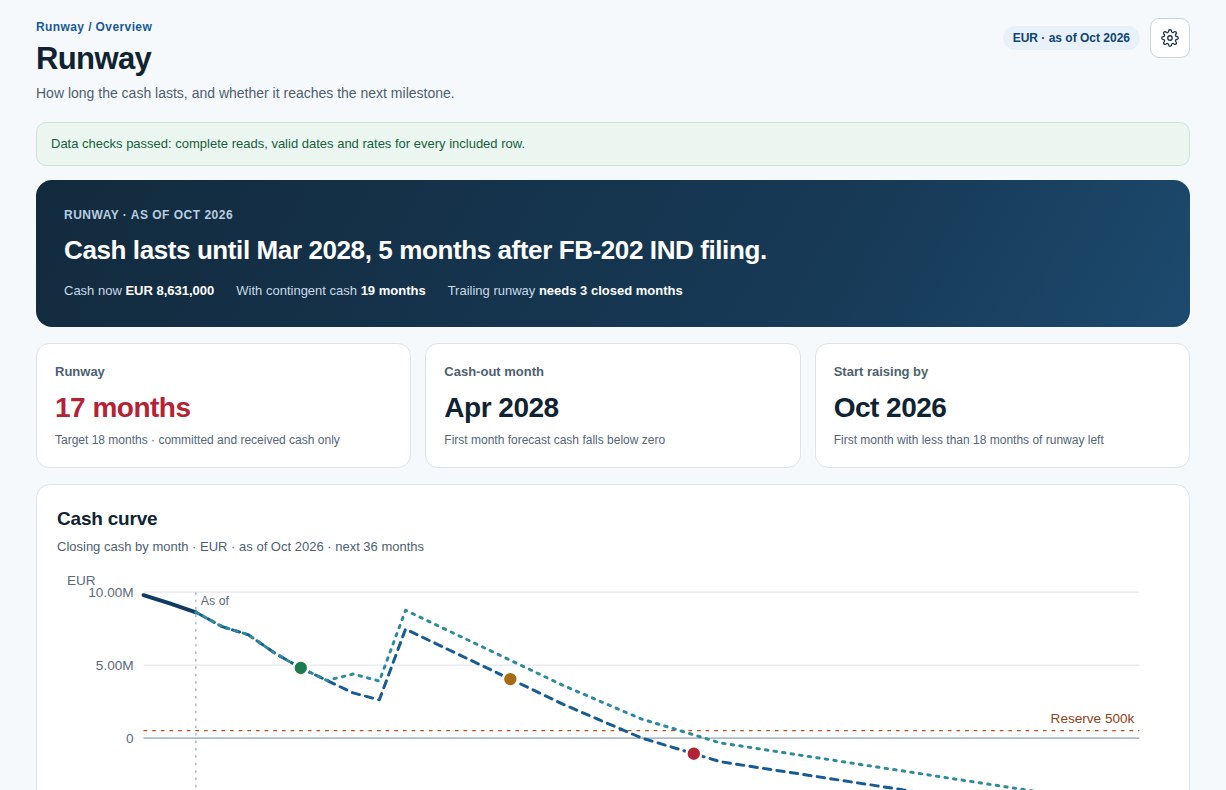
Customize the app or shape the funding document
TrialAgents customization extends to the whole app: fields, views, charts, layout and workflows, including bespoke apps. A team can ask for a review organized around its development programs and spending decisions. New logic still needs validation; a requested customization is not a standard Runway feature until implemented.
LivePlan offers a different kind of flexibility: editable plan content, presentation themes and financial assumptions. Its plan-builder documentation describes linked charts and tables and a three-statement model. That is useful when a founder needs the written business case and its financial statements to travel together. Standard Runway does not generate that complete business-plan package.
Connect the source of your next decision
Add operational apps to TrialAgents and configure authorized shared-data bindings. A Programs connection can bring key milestones into Runway alongside spending and hiring. Connections require explicit setup; adding an app does not automatically synchronize its records. Programs-owned milestones remain read-only in Runway.
LivePlan’s documented connections bring QuickBooks Online actuals into its planning workflow; it also supports Xero. Check your accounting edition: LivePlan excludes QuickBooks Solopreneur and has ended QuickBooks Desktop synchronization. Standard TrialAgents Runway has no native accounting or bank sync. Finance must supply and reconcile its actuals.
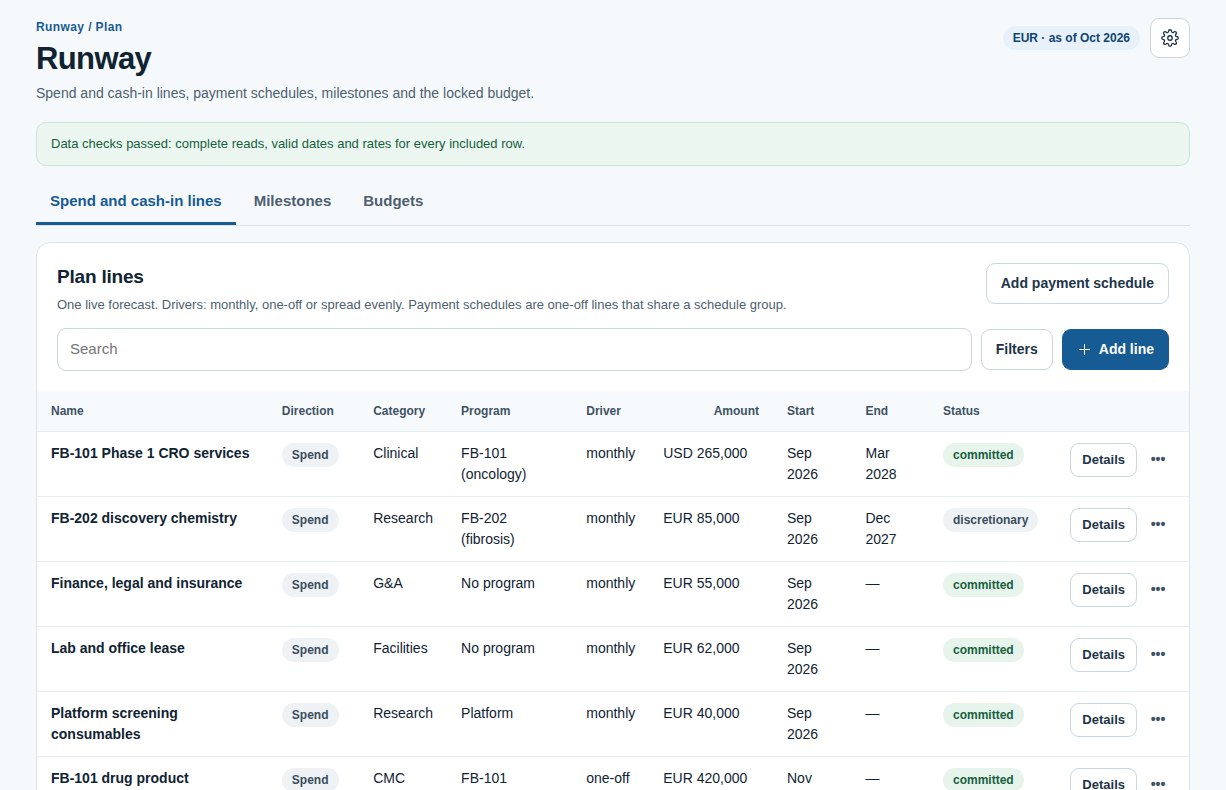
Review the funding gap before polishing the pitch
Try this fictional evaluation exercise: a pre-revenue biotech expects a grant, has a CRO payment already committed and is deciding whether to hire before a preclinical readout. The decision is whether to authorize the hire if the grant arrives later. No calculated outcome is assumed here.
- Build the committed case. Enter opening cash, the CRO payment dates and existing people costs. In Runway, leave uncertain grant cash marked contingent; it is excluded from base runway until committed.
- Separate the decisions. Preview the proposed hire and the funding timing assumption. Keep the CRO commitment fixed unless the contract actually permits a change. A program-wide timing shift can move several linked records and is too broad for a grant-only delay.
- Review cash at the readout. Inspect monthly cash and milestone coverage, then save or adopt only the reviewed scenario. The app calculates outputs; the assistant must not overwrite forecast results or frozen snapshots.
In a LivePlan evaluation, ask for the same funding and personnel cases, their financial statements and the resulting changes to the plan narrative. Its forecasting documentation supports scenario comparison. Ask the demonstrator to show which assumptions connect to your milestone; a dated milestone alone does not prove linked biotech spending behavior.
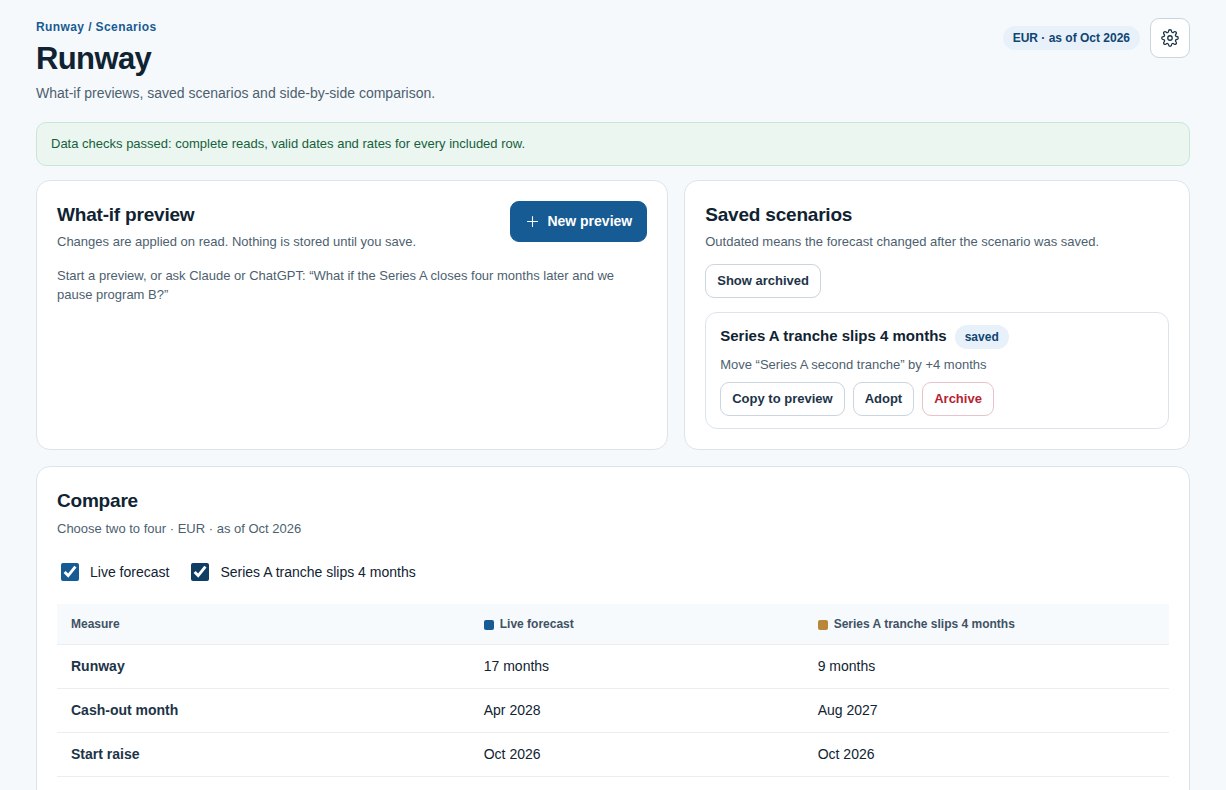
For a worked cash-timing example, see CRO payment timing in Runway.
Match the deliverable to the product
| Your priority | TrialAgents Runway | LivePlan |
|---|---|---|
| AI-assisted work | App interface and authorized operations through supported chat and browser surfaces | Guided AI forecasting and documented early-access MCP operations |
| Adaptation | Whole-app customization and additional bespoke apps | Business-plan content, presentation and forecast assumptions |
| Source data | Configured operational bindings and reviewed actuals | QuickBooks Online or Xero actuals; edition limits apply |
| Planning output | Monthly cash, program milestones, scenarios, locked budgets and snapshots | Business plan, scenarios, profit and loss, balance sheet and cash flow |
| Biotech decision | Program-linked spending and hiring around development milestones | Demonstrate the specific dependencies in your financial model |
Start with the missing piece
Our view: choose Runway when your team needs a shared operating app it can keep adapting as programs change. Choose LivePlan when the immediate job is a coherent business plan with linked financial statements. If you use both, agree who owns each assumption and reconcile the numbers; no built-in connection between these products is established here.
Runway remains monthly planning software, not bookkeeping, payroll, a cap table, a full three-statement model or a 13-week treasury forecast. Review the documented ChatGPT workflow and input-mapping guide before setting up your first plan.
Start with Runway
Bring your next milestone, committed spending and one hiring decision into a planning app your biotech can make its own.
Start with Runway →