
Biotech finance · Series A comparison
TrialAgents Runway vs Puzzle: AI accounting and biotech cash planning
A reconciled ledger tells you where the money went. A development plan must also account for commitments that have not reached the books.
First-party comparison of Runway 2.1.0 and Puzzle’s official documentation, reviewed 13 November 2026. No hands-on Puzzle benchmark or new ChatGPT/Claude acceptance test is claimed.
Choose TrialAgents Runway for an assistant-native biotech planning app you can customize and connect to operational apps. Consider Puzzle for accounting, transaction review and financial statements. Both support AI workflows. They can serve different jobs in the same company; Runway does not replace the ledger.
This compares TrialAgents Runway with the accounting software at puzzle.io. The distinction matters before a financing round: a cash balance and recent burn rate are useful, but they do not fully describe a newly signed CRO commitment or a planned hiring ramp.
Both connect to AI; decide what the assistant should change
TrialAgents brings the app interface and authorized record operations into supported ChatGPT and Claude surfaces, with continuation in the browser. Ask the assistant to prepare a hiring assumption or explain a scenario, then inspect the actual app. Host support and permissions determine the available interaction; the app computes the forecast.
Puzzle’s MCP setup guide also documents Claude and ChatGPT access. Connections start read-only. Optional write access is in beta and supports actions such as categorizing transactions and creating bills or journal entries, with confirmation. Company access and enabled AI are prerequisites. This is accounting work through an assistant, not evidence of an embedded Runway-style planning interface.
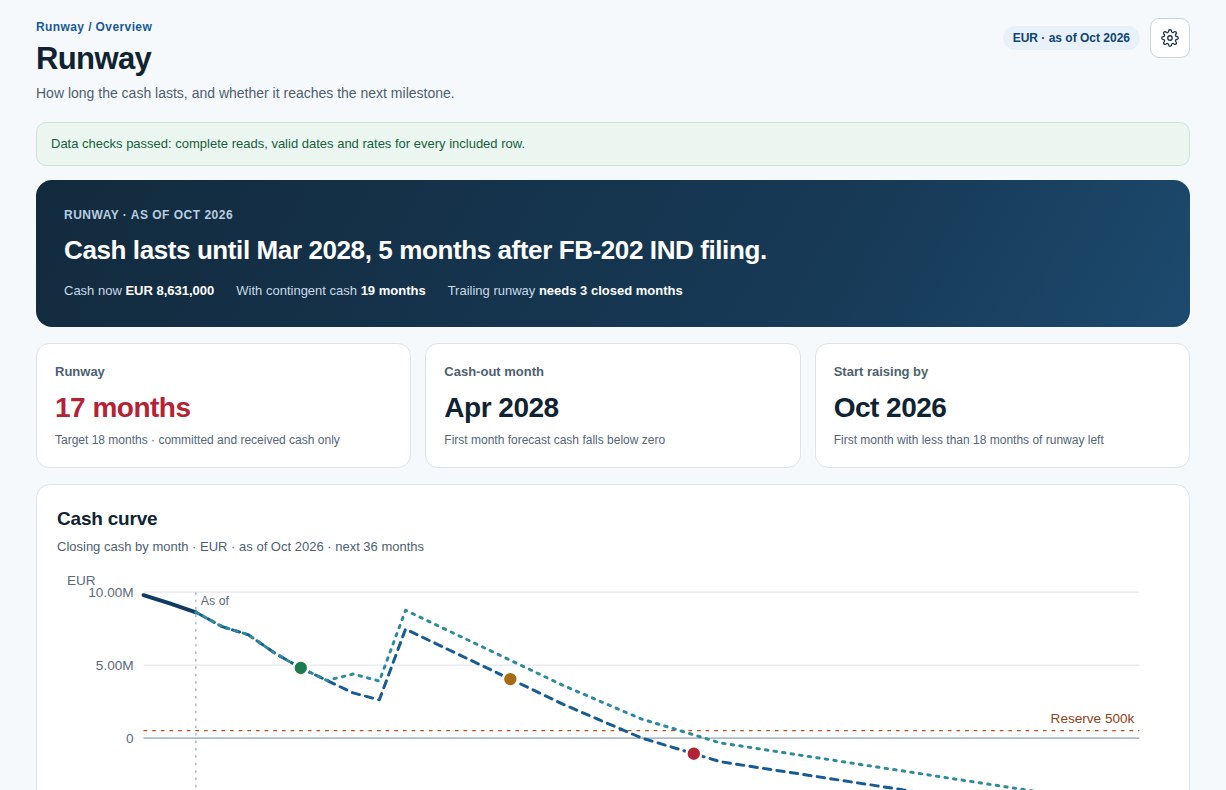
Shape the app around the development decision
TrialAgents can be customized across fields, views, layouts, charts, logic and workflows, including bespoke apps. A team could commission a commitment review that groups upcoming cash payments by program and decision owner. That is a customization possibility requiring implementation and validation, not a claim that the standard app already contains every review workflow.
Puzzle is built around accounting. Its product FAQ describes a double-entry system and downloadable financial statements. That structure serves a different purpose from changing an operational app around your development process. Runway’s standard monthly plan is not a general ledger, payroll system or complete three-statement model.
Connect programs to planning, and transactions to books
Adding TrialAgents apps can extend the operating workflow through explicit, authorized data bindings. For example, a configured Programs connection brings key milestones alongside Runway’s spend and people records. Programs-owned milestones remain read-only in Runway. Installing another app does not automatically synchronize its data.
Puzzle’s integration FAQ documents connections including Mercury, Ramp, Gusto and Stripe, generally syncing overnight. Coverage has boundaries: Deel invoices are not synced, and later Ramp or Brex categorization changes are not automatically copied into Puzzle. Check the specific records your close depends on.
Standard Runway has no native bank or accounting connector. A shared AI host is not a data pipeline between these products. Puzzle’s partner API access is evaluated case by case; this article establishes no native Puzzle-to-TrialAgents integration.
Look beyond the recent burn number
Puzzle does show cash, burn and runway. Its projections guide says you can substitute a custom burn number to explore runway, but distinguishes that from a full financial planning model. A single burn assumption is useful for a quick sensitivity check; a dated program plan answers a different question.
Consider a fictional evaluation brief: a biotech has reconciled its latest month, signed a CRO agreement with staged payments and is considering two hires. The financing is still contingent. Ask the team to demonstrate these steps:
- Establish actual cash. Review the books first. Puzzle’s monthly checklist includes reconciliation, categorization, output review and locking the month. In Runway, enter reviewed monthly actuals and reconcile the starting cash; do not treat an assistant’s narrative as a bank balance.
- Date the commitments. In Runway’s Plan and people records, represent the staged CRO cash payments and proposed hires. Keep contingent funding out of the base case until committed. A ledger expense date and a cash payment month need not be the same.
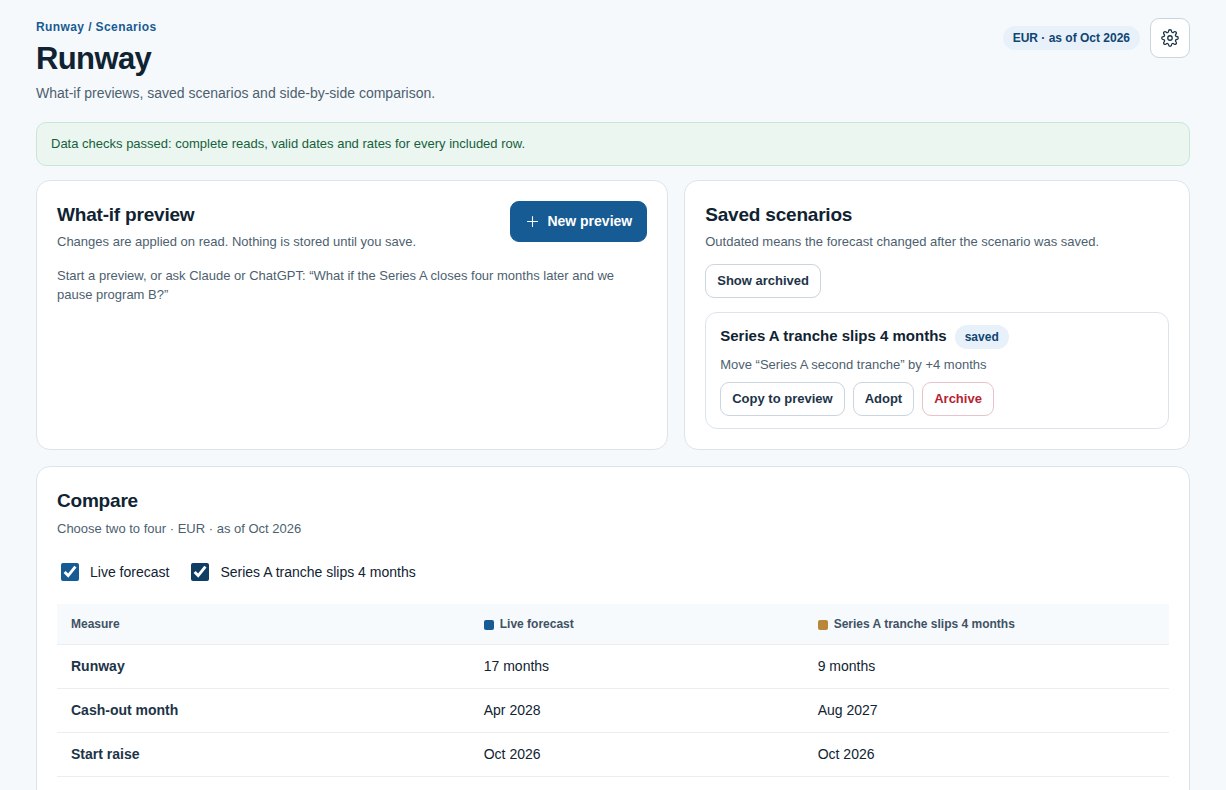
- Compare the decision. Preview the hiring change, inspect monthly cash at the next milestone, and review before saving or adopting. A preview is not the approved forecast, and a monthly model does not establish exact-day liquidity.
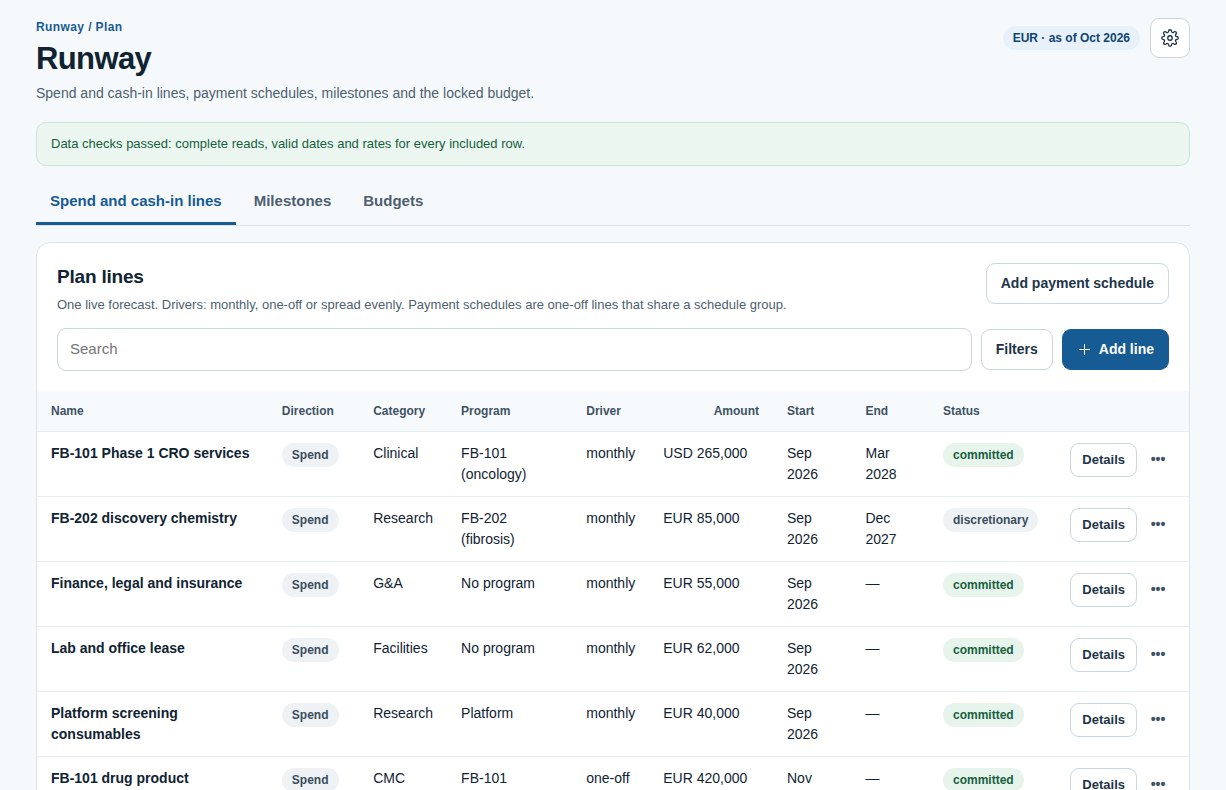
The useful handoff is reviewed actuals into a separately maintained forward plan. Assign an owner to reconcile that handoff and prevent double-counting. Our CRO payment-timing example shows how timing changes can affect a Runway scenario.
Compare responsibilities, not AI labels
| Responsibility | TrialAgents Runway | Puzzle |
|---|---|---|
| Assistant work | Supported app UI and reviewed planning inputs | Read accounting data; optional beta writes through MCP |
| Customization | Whole-app changes and bespoke operational workflows | Accounting system with structured financial records |
| Connections | Explicit operational app bindings; no native accounting sync | Bank, expense, payroll and payment integrations with record-specific limits |
| Cash outlook | Dated monthly commitments, people and program scenarios | Cash/burn/runway visibility and a custom burn assumption |
| Close and review | Actuals, locked budgets and frozen monthly snapshots | Ledger reconciliation, financial statements and monthly close checklist |
Start with the gap in your workflow
If unreliable books are the problem, evaluate Puzzle with the person responsible for your accounting. If the books are sound but the next program decision still lives in disconnected notes, our recommendation is Runway. Use the ChatGPT workflow guide to prepare reviewed inputs, or compare other cash-planning options. Neither an AI connection nor a dashboard removes the need to reconcile assumptions.
Start with Runway
Bring your reconciled cash, upcoming commitments and next development milestone into a planning app your team can adapt.
Start with Runway →