
Biotech finance · Series A comparison
TrialAgents Runway vs Jirav: cash planning and three-statement FP&A for biotech
A payment can shorten runway before its full cost appears in profit and loss. Choose a planning workflow that makes that difference clear.
First-party comparison of Runway 2.1.0 and Jirav’s official documentation, reviewed 13 November 2026. No hands-on Jirav benchmark or new ChatGPT/Claude acceptance test is claimed.
Choose TrialAgents Runway for a biotech operating app you can use through supported AI hosts, customize and connect to other operational apps. Consider Jirav when finance needs linked income-statement, balance-sheet and cash-flow forecasts. Both can help plan cash; Runway concentrates on monthly commitments, people and program milestones.
This compares TrialAgents Runway with the FP&A software at jirav.com. The decision is particularly useful for a pre-revenue biotech buying equipment or prepaying services: the cash plan and the accounting forecast answer related, but different, questions.
Separate conversational work from automatic forecasting
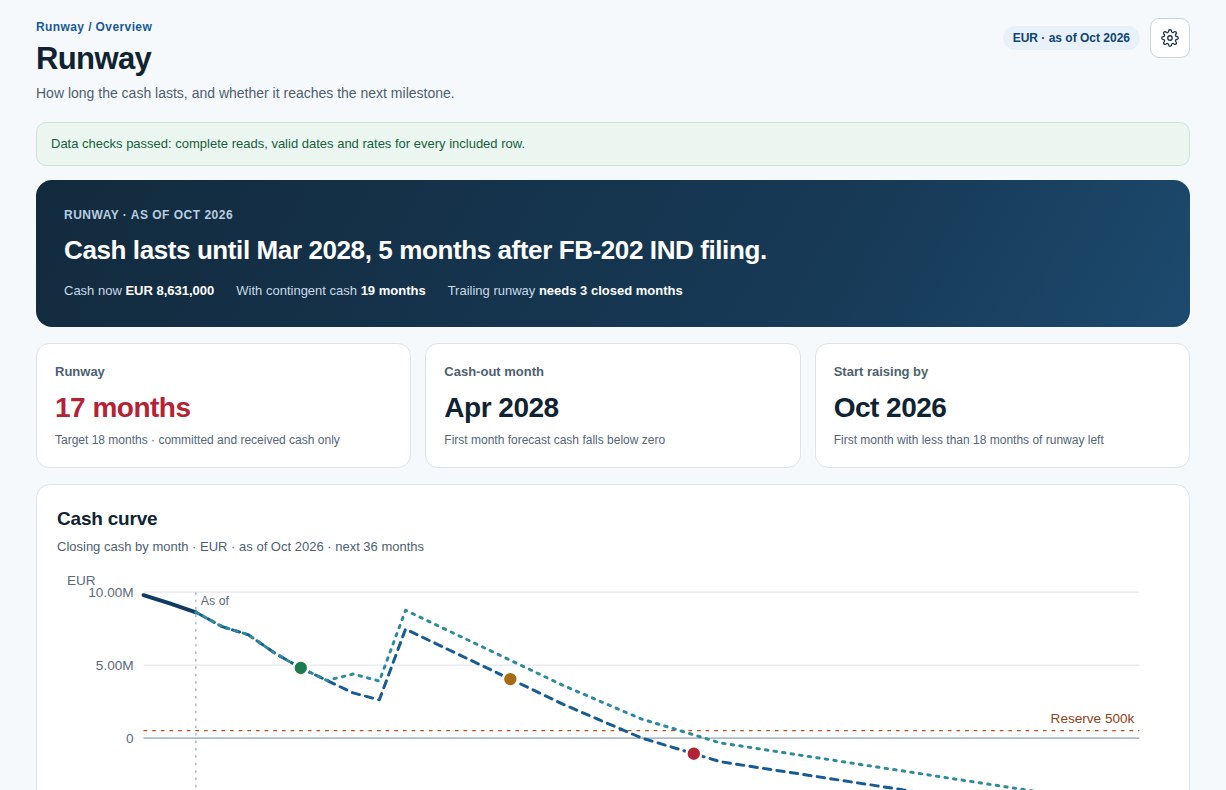
TrialAgents brings the actual app interface and authorized record operations into supported ChatGPT and Claude surfaces, with browser continuation. Ask an assistant to prepare reviewed inputs, explain a scenario or customize the app. Host support and permissions determine the available interaction; Runway calculates the financial outputs.
Jirav has forecasting automation of its own. Its Auto-Forecast guide describes account-and-department forecasts based on historical data, with manual adjustments and configurable methods. That is useful automation, but it is a different capability from operating an app conversationally. We have not verified an equivalent Jirav ChatGPT or Claude app workflow; this is not a claim that one cannot exist.
Adapt the operating workflow or the financial model
TrialAgents customization can span fields, views, layouts, charts, logic and workflows, including bespoke apps. For example, a team could add a capital-purchase review view that records the decision owner and related development milestone. New behavior needs implementation and validation; that example is not a standard Runway feature.
Jirav’s planning documentation describes drivers, working-capital assumptions and scenarios across financial statements. Its capability documentation makes clear that custom modeling, workforce forecasting and scenario depth depend on the account’s enabled capabilities. Confirm those before designing your model. Runway’s standard scope is monthly cash planning, not a complete three-statement model.
Bring in the right source of truth
TrialAgents connects operational apps through explicitly configured, authorized data bindings. A Programs connection can place key development milestones alongside Runway’s spend and people. Programs-owned milestones remain read-only in Runway; installing apps does not automatically synchronize them.
Jirav’s integration guide documents accounting, workforce and custom-table imports. Supported accounting connections normally import the latest 60 days each night; QuickBooks Desktop and Excel are exceptions. Workforce imports require department mapping and salary-account configuration. Operational metrics can come through Excel or Google Sheets.
That accounting connection can reduce repeated preparation when finance already maintains a clean ledger. Standard Runway has no native bank, payroll or accounting sync. Its actuals require reviewed inputs, and this comparison establishes no native connection between Runway and Jirav.
Test a purchase that separates cash from expense
Use this fictional evaluation brief: a biotech plans to pay for a laboratory instrument before a development milestone. Finance will determine its accounting treatment separately. The operational question is whether the payment leaves enough cash for the rest of the program.
- In Runway, plan the payment. Enter the reviewed cash amount and payment month in the spend plan, assign the relevant program and inspect Cash flow. If payment is staged, represent the actual schedule. Do not add noncash depreciation as another cash payment.
- In Jirav, demonstrate the accounting bridge. Ask finance to show the purchase, any payable, the chosen asset treatment and the resulting cash movement. Jirav’s balance-sheet guide covers capital expenditure, prepaids and payables; its System Cash account reflects the net effect of the planned statements rather than a separate cash driver.
- Challenge the baseline. A new instrument purchase may not resemble prior spending. Jirav’s forecast settings allow accounts to be excluded from Auto-Forecast for manual or driver-based planning. Confirm the model uses the agreed purchase assumption, not an unnoticed historical trend.
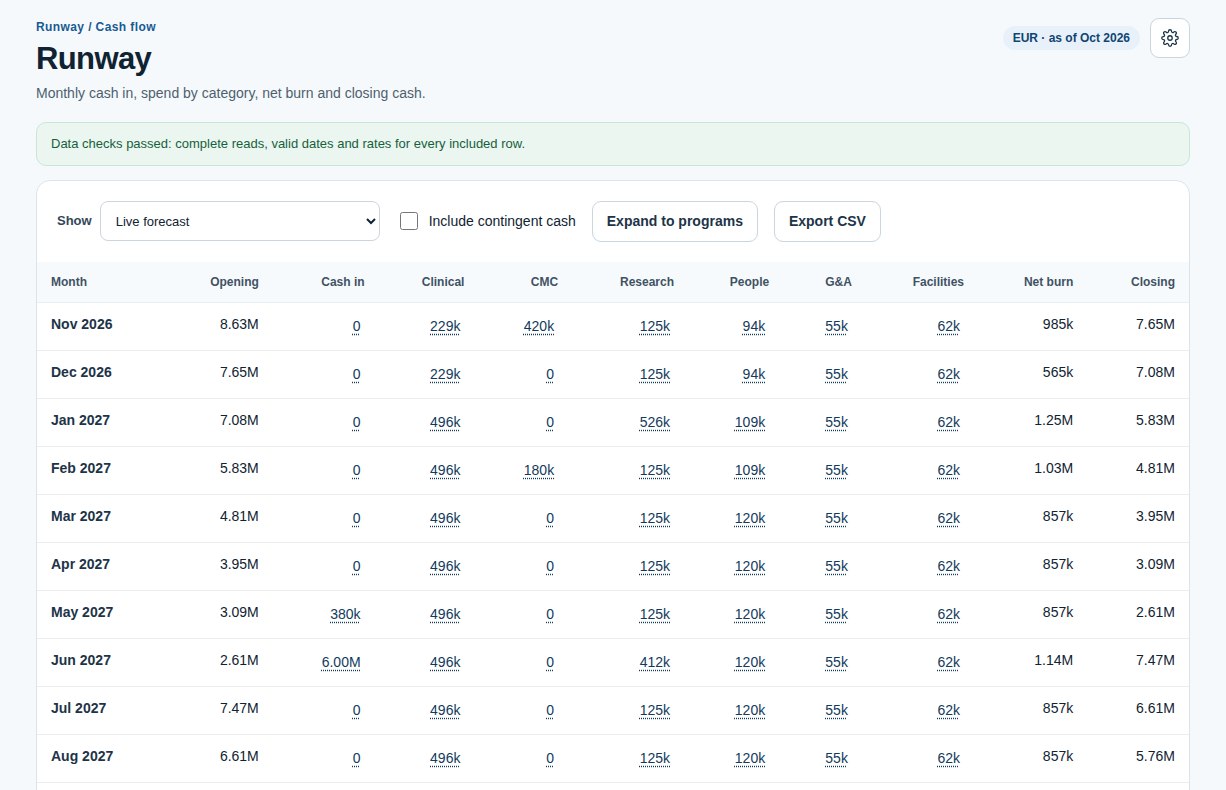
- Review before adopting. Compare the monthly cash path with the milestone and reconcile the starting balance. Runway scenario preview, saving and adoption are separate steps. A monthly view does not establish exact-day liquidity.
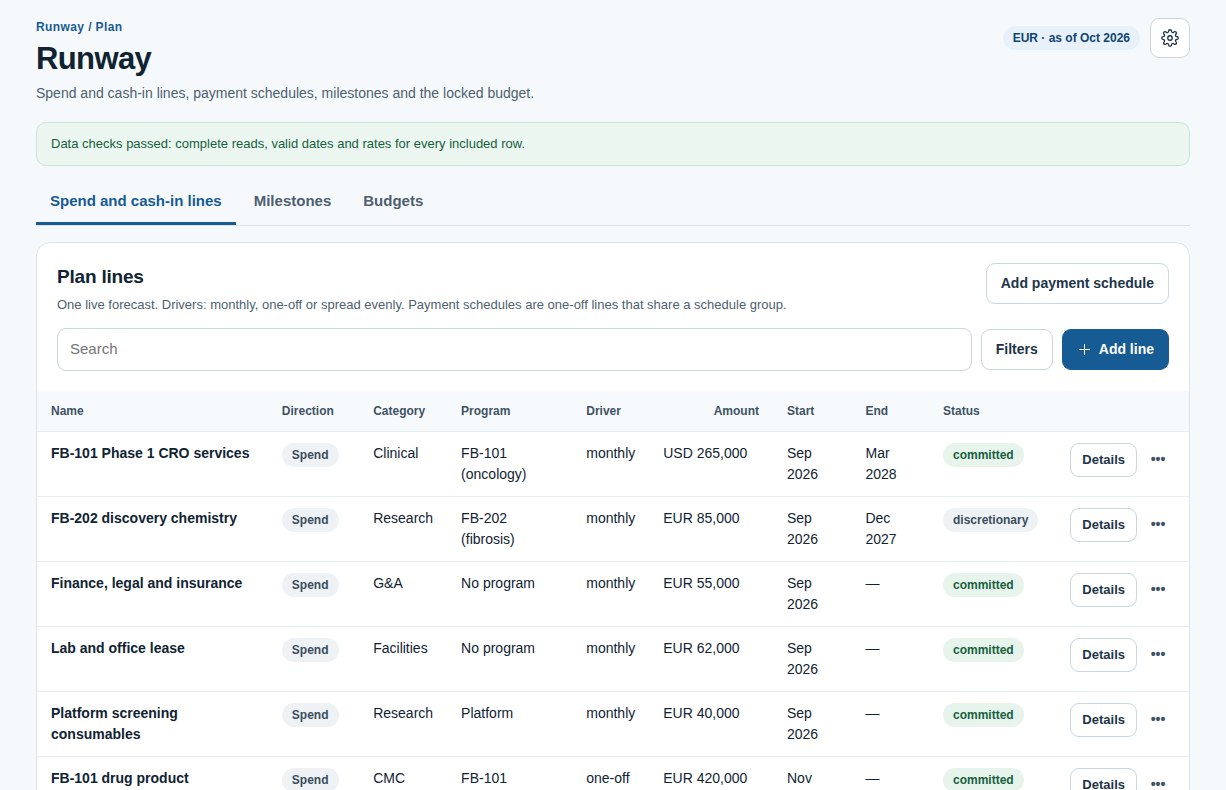
The key check is not whether both dashboards show “runway.” It is whether the same purchase produces one cash outflow, with accounting recognition handled in the appropriate model. See our CRO payment-timing example for another dated-commitment workflow.
Compare the planning responsibilities
| Responsibility | TrialAgents Runway | Jirav |
|---|---|---|
| AI and automation | Supported app UI and reviewed conversational inputs | History-based Auto-Forecast; equivalent host workflow not verified here |
| Customization | Whole-app changes and bespoke workflows | Financial drivers, assumptions and custom tables, subject to enabled capabilities |
| Connections | Explicit operational app bindings; no native accounting sync | Accounting, workforce and file imports with source-specific behavior |
| Cash model | Monthly cash commitments, people and milestones | Cash derived from linked financial statements and working-capital assumptions |
| Review | Scenario adoption, locked budgets and frozen close snapshots | Budget/actual reporting and financial scenarios where enabled |
Start with the question you cannot answer today
Our recommendation: start with Runway when the missing workflow is maintaining program commitments and cash decisions in an adaptable app. Evaluate Jirav when finance must explain the effect across profit and loss, the balance sheet and cash flow. Neither removes the need for reconciled inputs and a named owner of the approved forecast.
Runway does not replace bookkeeping, payroll or an external 13-week treasury forecast. Explore its ChatGPT workflow or compare other cash-planning options before choosing.
Start with Runway
Bring your next material payment, current cash and development milestone into a planning app your team can adapt.
Start with Runway →