
Biotech finance · Series A comparison
TrialAgents Runway vs Exigyn: adaptable cash planning or biotech FP&A?
Both bring AI into biotech planning. Choose by the work your team needs to own, change and review.
First-party comparison of Runway 2.1.0 and Exigyn’s public documentation, reviewed 13 November 2026. No hands-on Exigyn benchmark or new ChatGPT/Claude acceptance test is claimed.
Choose TrialAgents Runway when you want a monthly cash-planning app your team can reshape and connect to other operational apps. Evaluate Exigyn when the brief centers on a dedicated biotech finance system, including clinical accruals and financial reporting.
For a small biotech, the useful question is what happens after someone asks, “Can we afford the next study?” This comparison of Runway and Exigyn’s biotech FP&A platform follows that question from conversation to reviewed inputs and a cash decision.
Ask what the assistant can operate
TrialAgents supports using the app interface and authorized record operations through supported ChatGPT and Claude surfaces, then continuing in the browser. Conversations can prepare inputs, explain a scenario or request app changes. The app calculates Runway’s financial outputs; an assistant should not invent forecast results.
Exigyn also documents MCP access for ChatGPT and Claude, including model queries and planning writes. Access follows the connected user’s permissions. AI connectivity alone therefore does not distinguish these products. Ask each vendor to demonstrate the particular host, interface and action you need; a connector listing does not prove identical in-chat rendering.
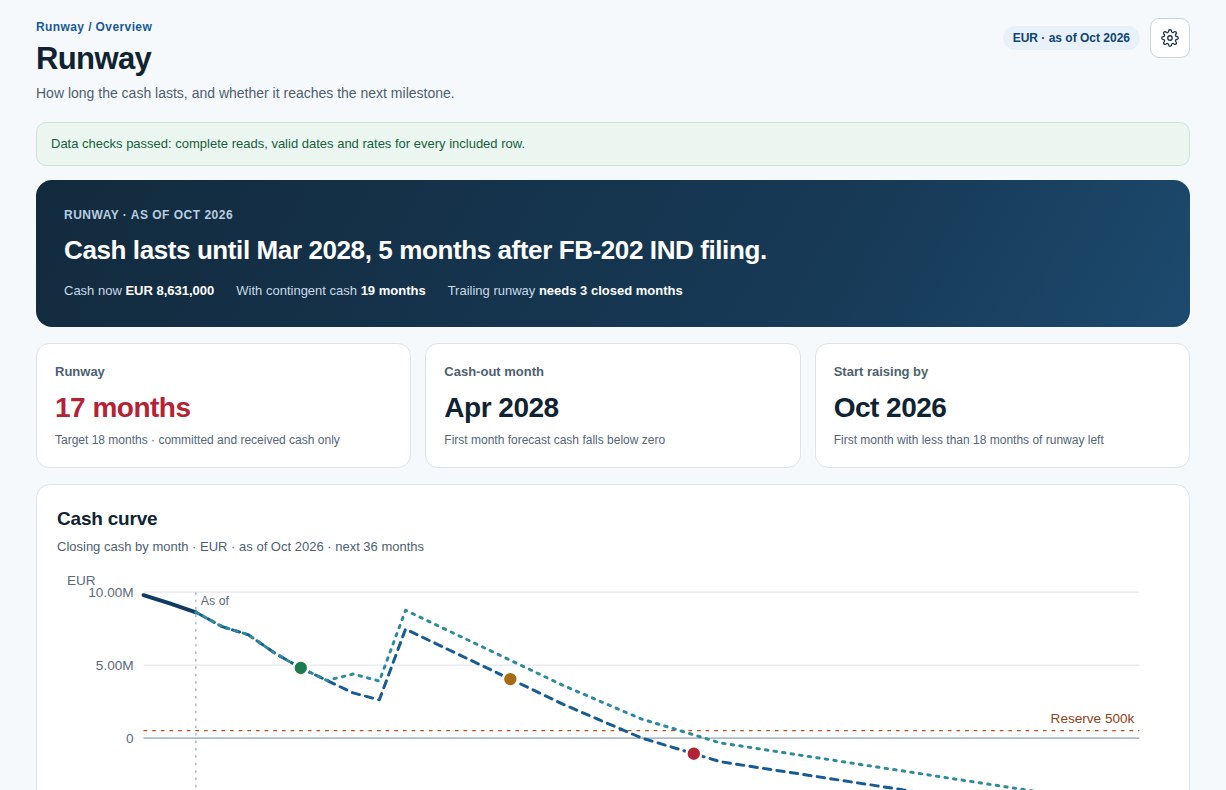
Shape the app around your decision process
TrialAgents offers customization across fields, views, layouts, charts, logic and workflows, including bespoke apps. A team could request a commitment-review view with a clinical owner, finance reviewer and decision date. That would be a customization to implement and validate, not an existing Runway approval feature.
Exigyn presents prebuilt life-sciences finance models. Evaluate the fit of those models against your planning conventions. Our review does not establish how far customers can alter its underlying application. Request a demonstration of a change that matters to your team, rather than assuming that either product’s customization is unlimited in resources or permissions.
Connect responsibilities as well as records
Runway can sit beside other TrialAgents apps with explicitly configured shared-data bindings. For example, Programs-owned milestones can inform cash review while remaining read-only in Runway. Installing two apps does not automatically connect them; agree which app owns each input.
Exigyn’s integration overview lists accounting and operational systems, including NetSuite, QuickBooks and Medidata Rave. A list is only the beginning of due diligence: confirm supported objects, import direction, refresh timing, mappings and error recovery for your actual systems. We did not validate those connectors.
Standard Runway has no native bank, accounting or payroll synchronization. Use reviewed actuals and authorized connections where configured. Neither product should be credited with a working connection to your data before it is demonstrated.
Give both products the same study-change brief
Use this fictional evaluation brief: Program B’s next milestone moves three months, but a CRO deposit remains payable on its original date. Clinical operations owns the revised timeline; finance owns the contractual payment schedule. This is a test brief, not a measured product result.
- Build the Runway baseline. Enter reviewed spend and cash-in assumptions, positions and milestone dates. Reconcile opening cash before comparing alternatives.
- Inspect what a scenario actually moves. Runway’s program-shift scenario affects program-linked spending, positions and Runway-owned milestones. Do not present a blanket shift as preserving an unchanged deposit. Review the affected records and use a separately reviewed input model when the contractual schedule needs different treatment.
- Ask Exigyn to demonstrate the finance detail. Its product overview describes clinical accruals, headcount and board reporting. Ask how the fixed deposit, revised activity and expense recognition remain distinct in that workflow. Do not infer the result from the module names.
- Review before adoption. In Runway, previewing, saving a scenario and adopting a forecast are separate steps. Compare monthly cash at the revised milestone and retain the approved baseline.
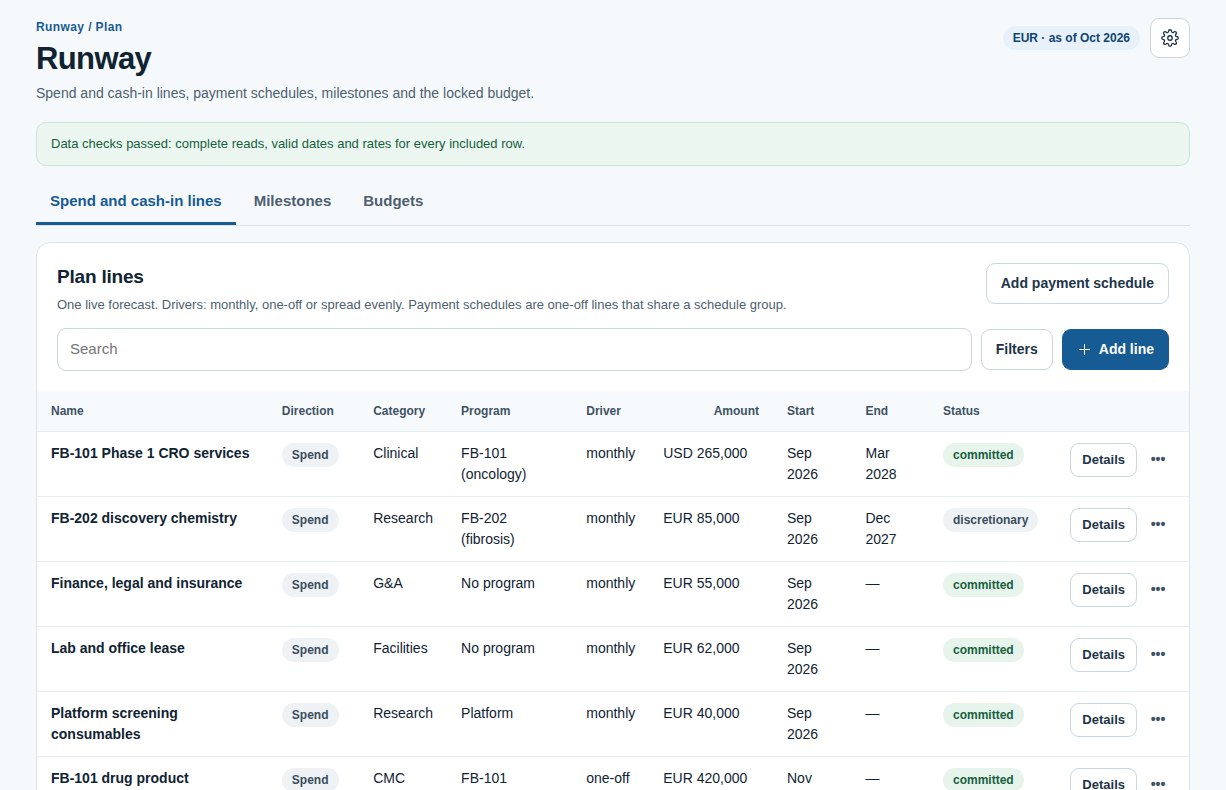
The acceptance question is concrete: can the team trace the decision back to the right dates and owners without silently moving a contractual payment? Our Runway CRO timing walkthrough explains the program-shift behavior in more detail.
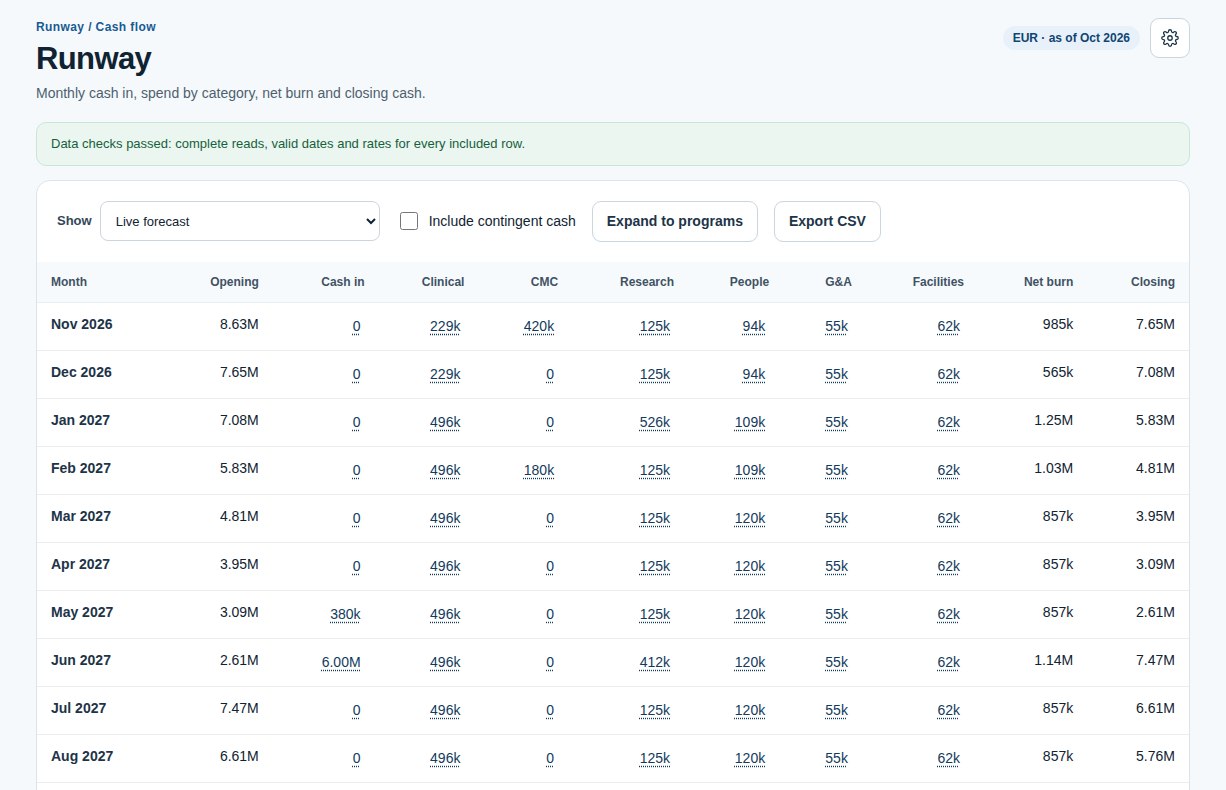
Compare the scope you will maintain
| Decision | TrialAgents Runway | Exigyn |
|---|---|---|
| Assistant workflow | Supported app UI, authorized operations and customization | Documented MCP model access and planning actions |
| Adaptation | Whole-app changes and bespoke apps | Evaluate fit and extensibility of dedicated finance models |
| Connections | Configured operational app bindings | Listed finance and operational integrations; verify specifics |
| Core need | Monthly cash, commitments, people and milestones | Biotech financial planning and clinical-cost workflows |
| Review | Separate scenario adoption, locked budgets and frozen closes | Vendor describes approval-led AI changes; demonstrate your required workflow |
Choose the system your team will keep current
Start with Runway when you need an adaptable place to maintain cash assumptions and connect operational decisions. Evaluate Exigyn when finance needs specialist clinical-cost and reporting workflows in one system. Keep the selection grounded in a demonstration using your own requirements, with appropriate permissions and reviewed inputs.
Runway is not bookkeeping, a clinical accrual engine, an integrated three-statement model or an external 13-week treasury forecast. Read its documented ChatGPT workflow before deciding which work belongs in the assistant and which belongs in the app.
Start with Runway
Bring your next program decision, payment commitments and cash assumptions into an app your team can adapt.
Start with Runway →