
Biotech finance · Series A comparison
TrialAgents Runway vs cfo.ai: AI financial planning for biotech startups
Choose between a customizable biotech operating app and an AI finance partner built around your company model.
First-party comparison of Runway 2.1.0 and cfo.ai’s published materials, reviewed 13 November 2026. This is not a hands-on cfo.ai benchmark or a new ChatGPT/Claude acceptance test.
Choose TrialAgents Runway when program milestones, CRO commitments and hiring drive your cash decisions, and you want to use, customize and connect the app through supported ChatGPT and Claude workflows. Consider cfo.ai when the priority is an AI finance partner working from a model connected to existing business systems. Both offer AI workflows; the distinction is the work you organize around them.
Which Runway? cfo.ai is the finance business previously called Runway, separate from TrialAgents Runway. Its terms identify Runway Financial, Inc., while its updated Runway essay now describes CFO.ai. This comparison concerns financial software, not video generation.
Use AI with a persistent app or financial model
TrialAgents lets you work with authorized apps through supported ChatGPT and Claude connections and continue in the browser. Ask the assistant to prepare reviewed records, explain a forecast or adapt the app. The standard Runway app calculates financial outputs deterministically; the assistant should not invent forecast values or overwrite frozen snapshots.
cfo.ai’s Ari is also built around persistent financial data. Its agent documentation describes deterministic calculations, source lineage and permission-controlled model access through MCP, including Claude Code and Codex. That is substantive AI support, not simply a spreadsheet export. An MCP connection does not by itself establish an embedded app UI in ChatGPT or Claude; those host experiences have not been independently tested here.
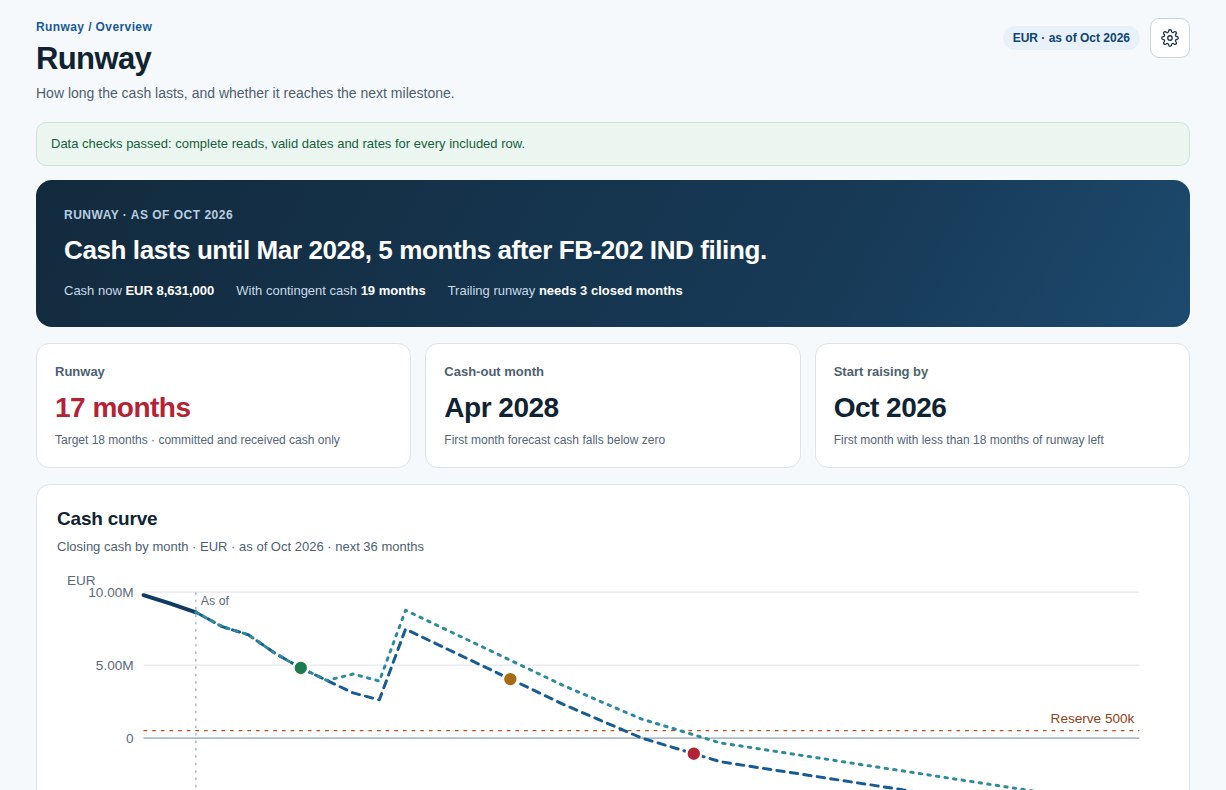
Adapt the app around how your biotech works
With TrialAgents, customization can extend across fields, views, charts, layout, logic and workflows. Start with Runway, then ask for a program-review view or build a bespoke app. Changes remain subject to platform limits, permissions and validation; customization breadth is not a promise that every requested feature already exists.
cfo.ai also supports adapting the financial model and exploring assumptions. Its product essay describes changing hiring assumptions and using Canvas simulations, with model saves as a separate step. Evaluate how each approach expresses your own decisions instead of assuming one product is customizable and the other is fixed.
Connect operational plans or established finance systems
Add other TrialAgents apps and explicitly bind authorized data to connect operational work with Runway. For example, a configured Programs connection can place development milestones alongside cash planning. Access controls, history and optional automations support the wider workspace; installing apps does not automatically synchronize their tables.
cfo.ai’s integration catalog lists QuickBooks Online, Xero, payroll and banking sources, and other business systems. Connection methods and eligibility vary by integration. Standard TrialAgents Runway has no native bank or accounting synchronization. If your main requirement is keeping a finance model aligned with those systems, that is a material reason to evaluate cfo.ai.
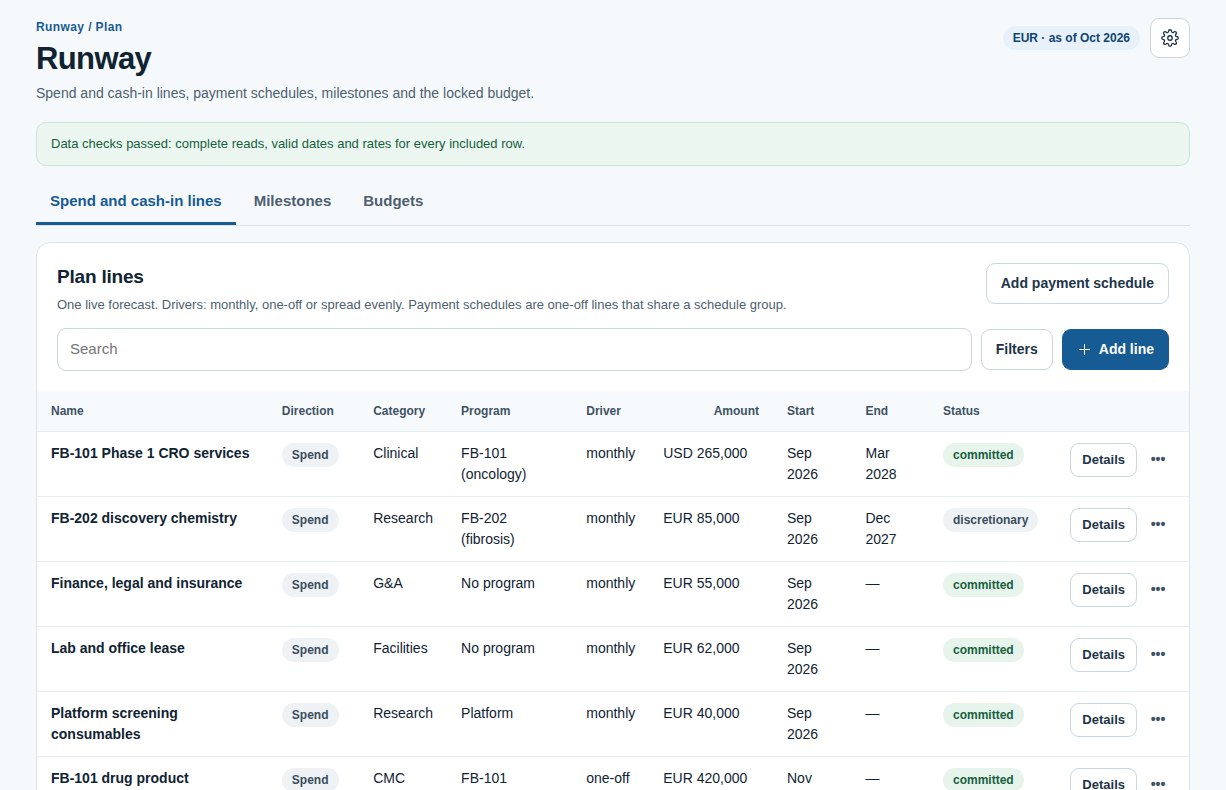
Test a study delay before choosing
Use this illustrative evaluation brief, not a claimed test result: your pre-revenue biotech has two programs, a planned clinical hire, a CRO payment schedule and an uncertain funding round. Leadership wants to see what changes if one program moves three months.
In Runway, enter reviewed cash, spending and people inputs, associate the relevant records with the program, then preview its timing shift in Scenarios. Inspect Cash flow and milestone coverage before saving or adopting a scenario. A program shift can affect several linked inputs; it is not necessarily a single-payment deferral. Keep contingent funding distinct and reconcile actuals with finance.
For a cfo.ai evaluation, ask the vendor to demonstrate the same assumptions in its model: which dates move, which commitments remain fixed, how uncertain funding is treated, and how results trace back to inputs. Its public AI positioning alone does not prove that this biotech scenario is configured. Neither product’s label replaces reviewing those dependencies.
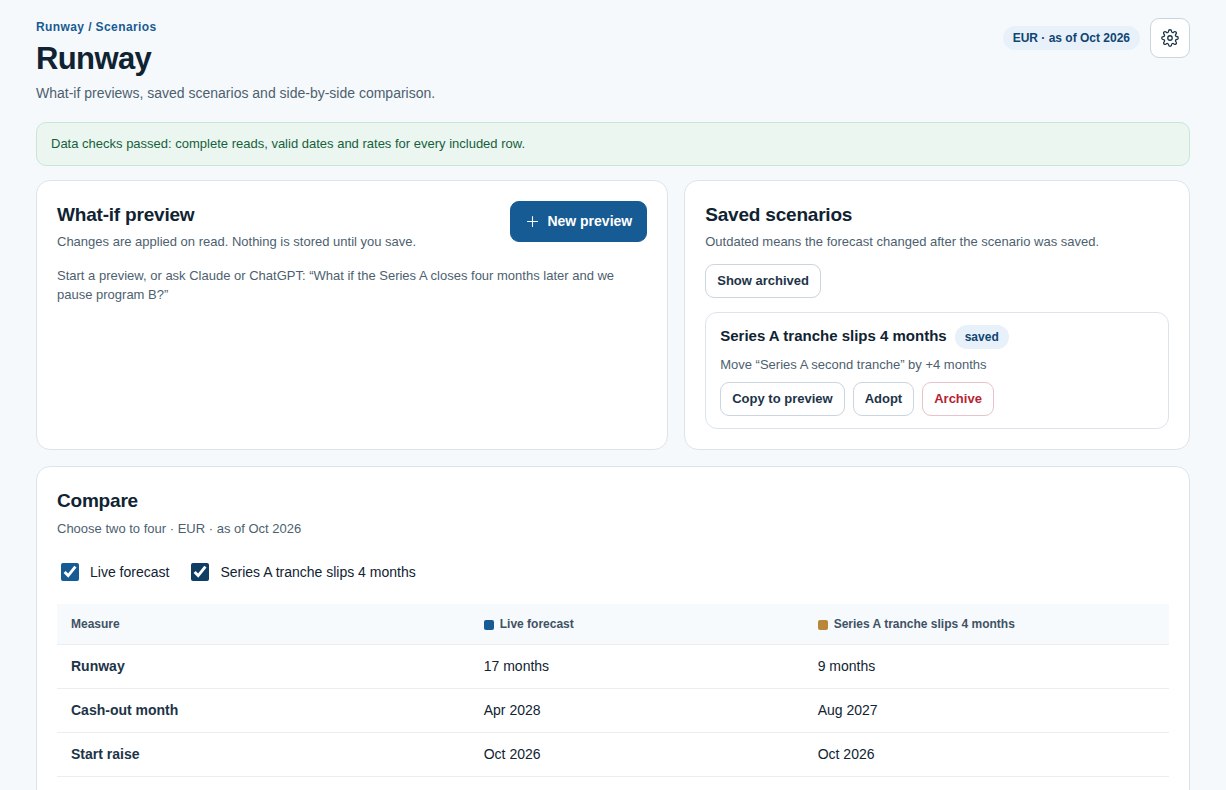
For a concrete app walkthrough, see modeling CRO payment timing in Runway.
Compare the workflow, not the AI label
| Decision | TrialAgents Runway | cfo.ai |
|---|---|---|
| AI working surface | Authorized apps through supported ChatGPT, Claude and browser workflows | Ari and documented MCP model access; host UI parity not tested |
| Customization focus | Whole app and connected biotech workflows | Financial model and assumption exploration |
| Data connections | Explicitly connected TrialAgents data; no native accounting sync | Catalog of accounting, payroll, banking and business integrations |
| Review and calculation | Deterministic monthly outputs, actuals, budgets and snapshots | Documented deterministic engine, source lineage and reversible model writes |
| Biotech evaluation | Program-linked monthly spending, hires and milestones | Demonstrate your program dependencies in the financial model |
Choose your starting point
Start with TrialAgents when the missing piece is a shared, adaptable planning app for biotech operations. Evaluate cfo.ai when the missing piece is an AI finance model connected to your existing systems. Runway does not replace bookkeeping, payroll or a full three-statement model. If you use both, agree which system owns actuals and assumptions and reconcile them; no built-in connection between the two has been verified.
Explore the Runway ChatGPT workflow or compare other cash planning tools before choosing.
Start with Runway
Bring one program, one hiring decision and one funding assumption into a biotech planning app your team can adapt.
Start with Runway →