
Biotech finance · Series A comparison
TrialAgents Runway vs Aleph: a biotech planning app or connected FP&A?
Keep the finance model in a connected spreadsheet—or give the operating team an app built around people, programs and cash decisions.
First-party comparison of Runway 2.1.0 and Aleph’s official materials, reviewed 13 November 2026. No hands-on Aleph benchmark or new ChatGPT/Claude acceptance test is claimed.
Choose TrialAgents Runway when operators need an app they can use through supported AI hosts, customize and connect to other biotech workflows. Consider Aleph when finance wants to retain Excel or Google Sheets over connected business data. Both support AI and scenario work; the useful distinction is the workflow your team will maintain.
This compares TrialAgents Runway with the FP&A platform at getaleph.com. Aleph is more than an Excel import utility: it combines a web platform with bidirectional spreadsheet add-ins. For a lean biotech, the decision is whether to improve a finance-owned model or build a shared operating app around it.
AI access is a starting point, not the deciding feature
TrialAgents brings the actual app interface and authorized record operations into supported ChatGPT and Claude surfaces, with browser continuation. Ask an assistant to prepare a reviewed planning change, inspect the app, or request an app redesign. Host capabilities and permissions determine what is available; Runway calculates the forecast rather than accepting invented outputs.
Aleph’s MCP documentation describes access through Claude and ChatGPT to its finance data and agent actions, including reports, dashboards and model refreshes. Anthropic’s connector listing independently confirms a sign-in-required Aleph connector with tools that include writes. Do not reduce Aleph to read-only chat or static exports. Connection support also does not prove identical interfaces or behavior across hosts.
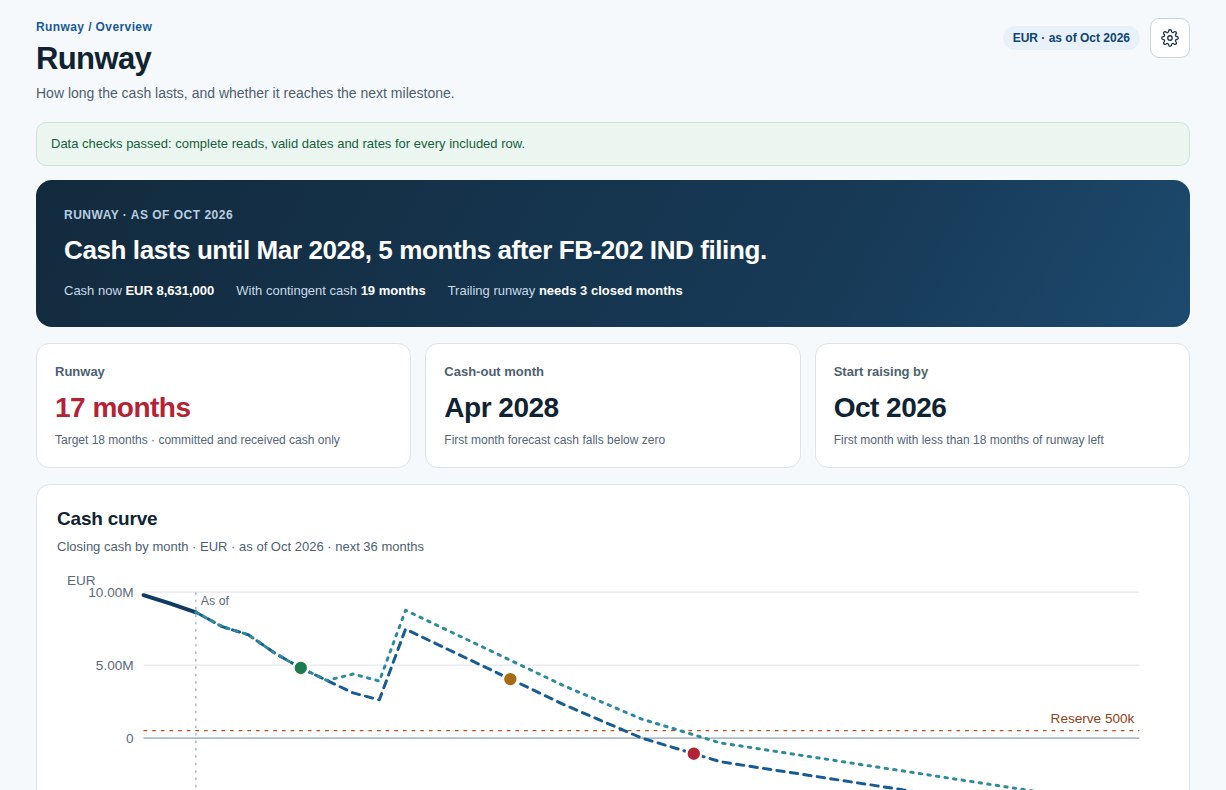
Customize the operating app or keep shaping the model
TrialAgents customization spans fields, views, layouts, charts, logic and workflows, including bespoke apps. A team could add a review view for proposed hires grouped by program and accountable owner. That extension requires implementation and validation; it is not automatically part of standard Runway.
Aleph preserves a different kind of flexibility. Its budget-planning documentation describes spreadsheet templates, selective-cell or whole-sheet push/pull, scenario repositories and version control. This suits a finance lead who wants to retain modeling logic in Excel or Sheets while centralizing data. Runway has no built-in workbook-formula conversion or live Excel synchronization.
Decide which connections matter first
TrialAgents lets you add operational apps and explicitly bind authorized shared data. A Programs connection can bring development milestones into Runway alongside spend and people. Programs-owned key milestones remain read-only in Runway; adding apps alone does not wire them together.
Aleph’s integration catalog lists sources such as NetSuite, QuickBooks, Xero, BambooHR and Rippling. Its headcount workflow combines HRIS, applicant-tracking and financial data for planning. That is relevant when finance spends time assembling the same source records each month.
Check connector coverage, refresh cadence, historical data and write direction for your actual systems. Bidirectional spreadsheet access does not establish that every upstream system accepts writes. Standard Runway has no native bank, payroll or accounting sync; reviewed actuals and explicit data preparation remain necessary.
Evaluate one hiring handoff end to end
Use this fictional evaluation brief: a biotech’s fractional CFO maintains the financial model, while the program lead owns the development timeline. Leadership wants to defer a planned hire until the next program milestone. The challenge is keeping the approved decision consistent across the plan, not generating another chart.
- Agree the input. Identify the position, current start month, revised month and cost assumptions. Confirm which milestone the decision depends on and who owns that date.
- Review the cash effect. In Runway, prepare the supported position change and inspect the monthly forecast in a scenario preview. Review before saving or adopting. Keep the original budget as the comparison rather than silently rewriting it.
- Prove the handoff. For Aleph, request a demonstration using the HRIS record, a proposed position in the planning sheet and a saved forecast version. Show which value is an actual, which is an assumption and what a subsequent refresh changes.
- Check access. Demonstrate the operator’s permitted view separately from finance’s salary detail. Do not assume a shared dashboard or AI conversation automatically applies the right access scope.
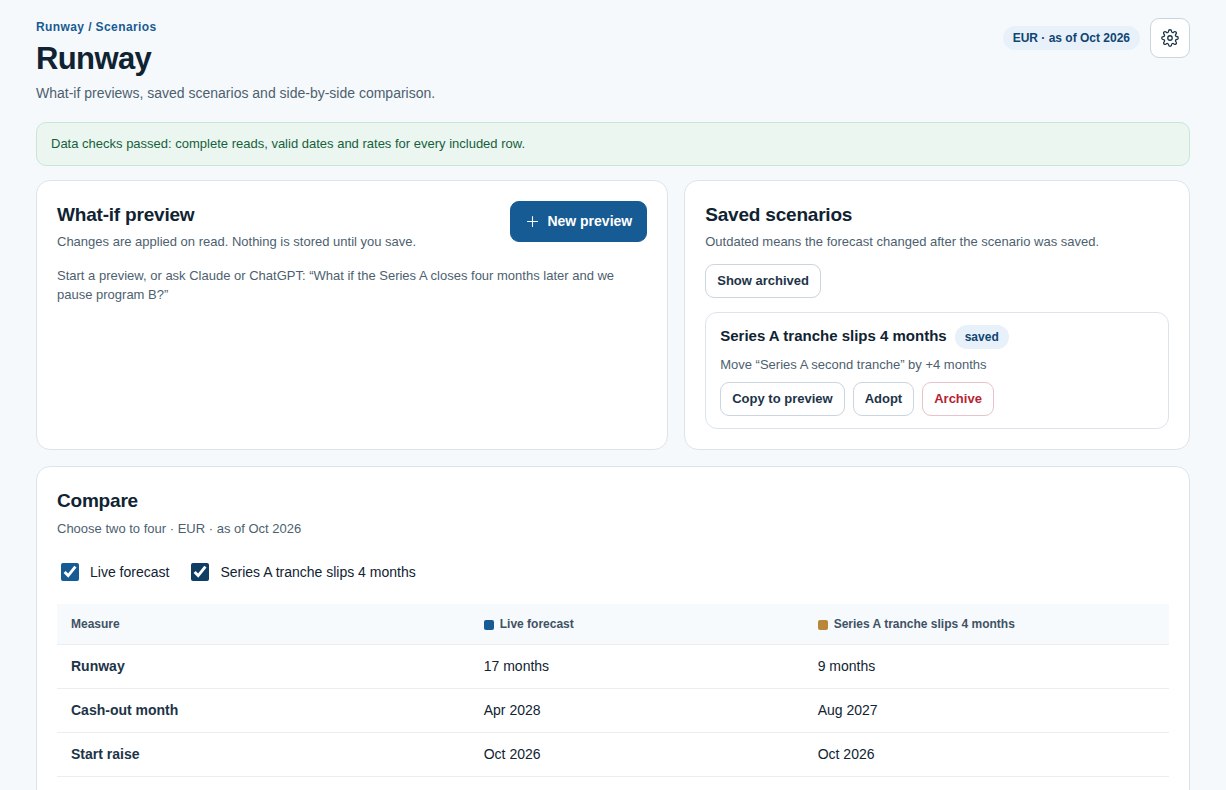
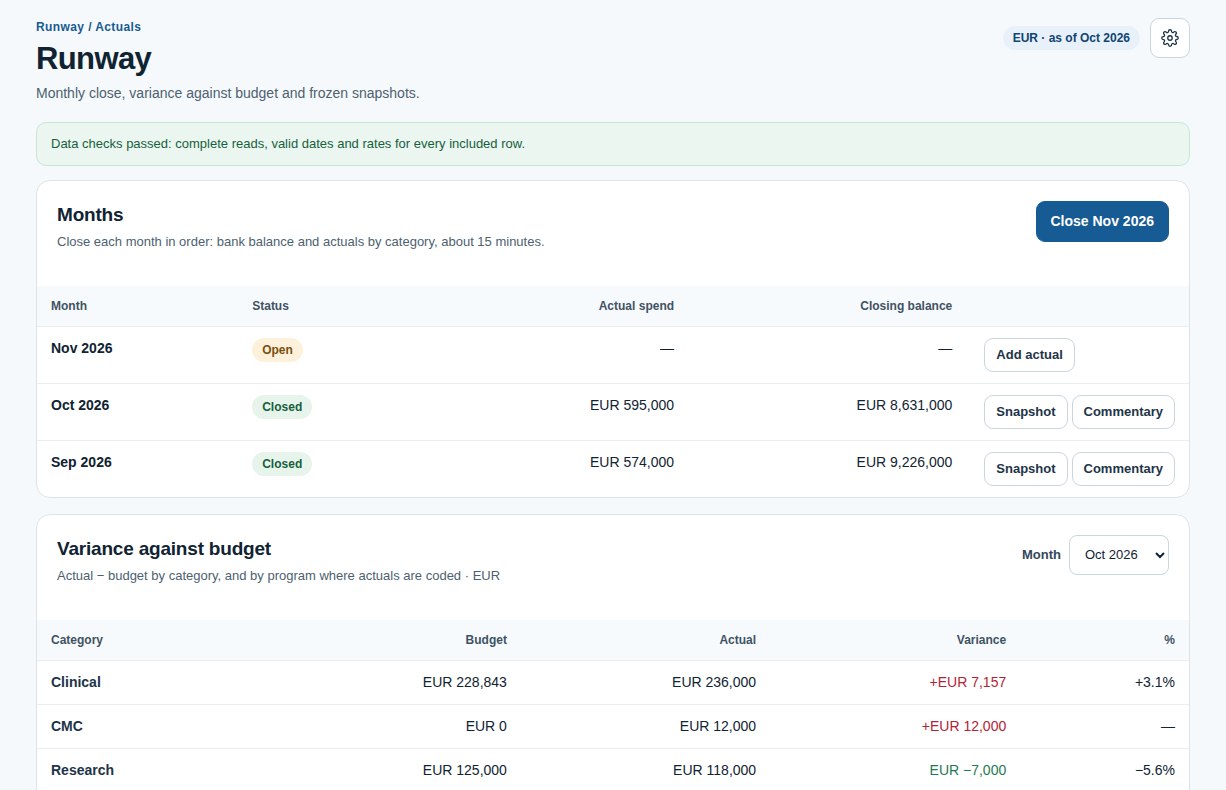
Aleph’s agentic-budgeting page describes permission-aware plan updates and change rationale. Runway offers app-controlled scenario adoption, locked budgets and frozen monthly close snapshots. These are different review mechanisms; neither substitutes for agreeing who owns the hiring decision.
Match the system to its owner
| Decision | TrialAgents Runway | Aleph |
|---|---|---|
| Assistant workflow | Supported app UI, reviewed inputs and app customization | MCP access to finance data and agent actions |
| Customization | Whole-app changes and bespoke operational workflows | Connected spreadsheet models, templates and dashboards |
| Connections | Explicit operational app bindings; no native accounting sync | Business-system connectors and spreadsheet push/pull |
| Planning focus | Monthly cash by people, programs and milestones | Finance models, budgeting, headcount and variance analysis |
| Review record | Scenario adoption, locked budgets and frozen close snapshots | Forecast versions, change tracking and permission-aware workflows |
Choose the workflow you can keep current
Our view: Runway fits when operations needs an adaptable app for maintaining program and cash assumptions. Aleph deserves a close look when finance already has a useful spreadsheet model and needs connected data, collaboration and versioning around it. Do not maintain two competing approved forecasts without a clear owner and reconciliation process.
Runway does not replace bookkeeping, payroll, a full three-statement model or an external 13-week liquidity forecast. See the Excel-to-Runway migration guide for the manual mapping boundary, or the ChatGPT workflow for preparing reviewed app inputs.
Start with Runway
Bring one program, its people assumptions and the next development milestone into a cash-planning app your team can adapt.
Start with Runway →