
Assistant-native planning · Series C
Financial planning apps for Claude: choose where the plan lives
A useful finance conversation ends with a plan your team can find, explain and maintain. Choose the app that owns that plan.
First-party editorial: we make TrialAgents Runway. Primary documentation reviewed on 14 November 2026. These are conditional recommendations and a documented evaluation exercise, not measured rankings or completed Claude acceptance tests.
Choose the deliverable before the connector
Consider TrialAgents Runway for a customizable biotech operating cash plan, LivePlan for a business plan with a financial forecast, or Aleph when finance needs Claude to work with connected financial data. The deciding question is where the authoritative assumptions and results will live after the conversation.
For a lean biotech, the immediate job might be reviewing CRO commitments and hiring against the next funding milestone. An established finance team may instead need analysis across accounting, workforce and spreadsheet data. Both involve financial planning, but they need different foundations.
| App | Choose it when | Keep responsibility for |
|---|---|---|
| TrialAgents Runway | The deliverable is a monthly biotech cash plan with program assumptions | Reviewed inputs, model suitability and explicit data connections |
| LivePlan | The written business plan and forecast should stay together | Company/scenario selection and review of early-access connector changes |
| Aleph | Finance already has systems and models that need a connected analysis layer | Source mappings, model ownership and permitted read/write scope |
Understand what each app contributes
Runway: an adaptable operating cash app
TrialAgents Runway provides a defined monthly model for spend, cash-in, people and program milestones. Use supported Claude and ChatGPT connections to prepare authorized inputs, manage supported actions and open the app where the host supports its interface; continue in the browser. A connected tool and a rendered app view are separate capabilities, and this article does not claim a fresh host test.
Customize the whole app, including fields, views, calculations and workflows, or build a bespoke version. Validate changed financial logic. Extend the workspace with other apps and explicitly connected data, such as Programs milestones. Installing an app does not automatically synchronize every table.
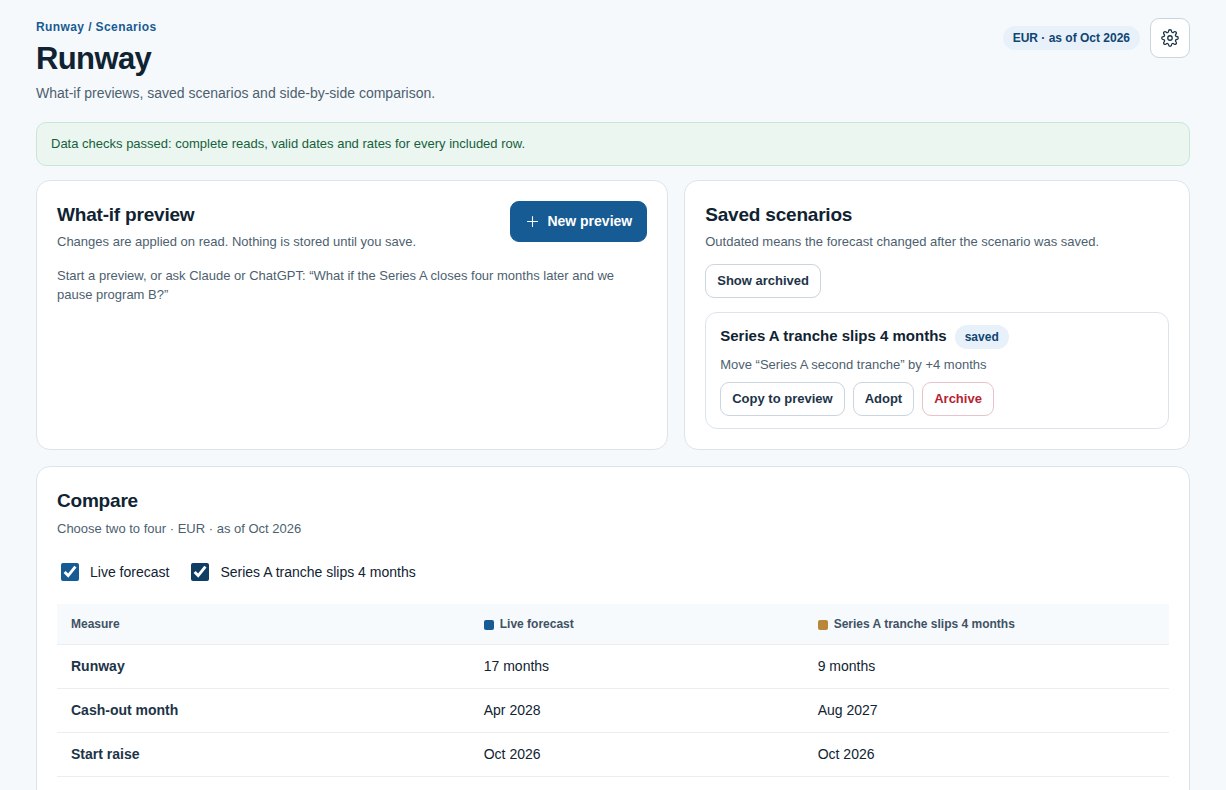
Keep review, access and history meaningful. Runway calculates outputs; the assistant prepares inputs and explanations. Locked budgets, monthly close snapshots and saved scenarios serve different purposes. Optional automations require separate setup. The standard app is not bookkeeping, payroll, bank synchronization, three-statement planning or a 13-week liquidity engine.
LivePlan: the plan narrative and financial forecast
LivePlan’s MCP guide documents reading plan content and financial statements, updating forecast items and creating scenarios. The vendor says its connector is designed and tested for Claude, but labels it early access. That makes it a candidate when the narrative and forecast need to be maintained together. Confirm account access and review changes carefully; the documentation contains conflicting contributor-access wording. Do not assume a connector also supplies an embedded financial interface.
Aleph: a connected finance-data workflow
Anthropic’s Aleph listing describes access to connected finance data, reports and analysis in Claude and Claude for Excel. It requires sign-in and lists tools that can modify data as well as inspect it. This is relevant when the finance team already owns a model and needs to work across source systems. Verify the particular sources, mappings and actions available to your account; the listing is not evidence that every integration is configured or that a biotech runway model comes ready-made.
Give Claude the access this review needs
Anthropic’s connector guidance explains that source permissions still apply and that organization owners can restrict actions. Begin a finance review with the appropriate read-only tools. Enable writes only when the team intends to change saved data, and check the app’s own review rules too.
Interactive interfaces are available only for connectors that implement them, as described in Claude’s remote-connector guidance. A tool response, an in-chat interface and a browser app are not interchangeable proof. Also distinguish Claude’s conversational surface from Claude Code and Claude for Excel; evidence for one does not establish the same workflow in another.
Ask for a reviewable planning handoff
Try this six-step exercise in an authorized demonstration account with fictional data. It evaluates whether the app helps a program lead and finance owner reach the same documented decision, rather than merely producing a plausible summary.
- Name the planning home. Identify the saved app or company, selected scenario and period. In Runway, confirm the month-end opening balance, reporting currency and required rates first.
- Read the assumptions. Ask Claude to list the relevant CRO commitments, planned hires and financing assumptions, with source identities and missing information.
- Separate confidence levels. Distinguish committed cash from contingent funding. Flag an unknown payment month instead of inventing one.
- Prepare the decision brief. Ask which inputs need owner review and which app view contains the calculated result. In Runway, inspect Cash flow or build a transient preview in Scenarios.
- Review before changing the plan. Clinical operations checks dates, finance checks amounts and leadership decides which case to use. Saving and adopting a Runway scenario are separate reviewed steps.
- Verify the handoff. Reopen the authoritative app, confirm any approved changes and retain the scenario identity with the brief. The assistant must not overwrite derived forecasts or frozen snapshots.
Using our selected demonstration planning app, prepare a funding-review brief from the saved assumptions. Identify the scenario and period, distinguish committed from contingent cash-in, and list missing CRO payment dates or hiring assumptions. Link each finding to its source record. Do not change records or invent forecast outputs.
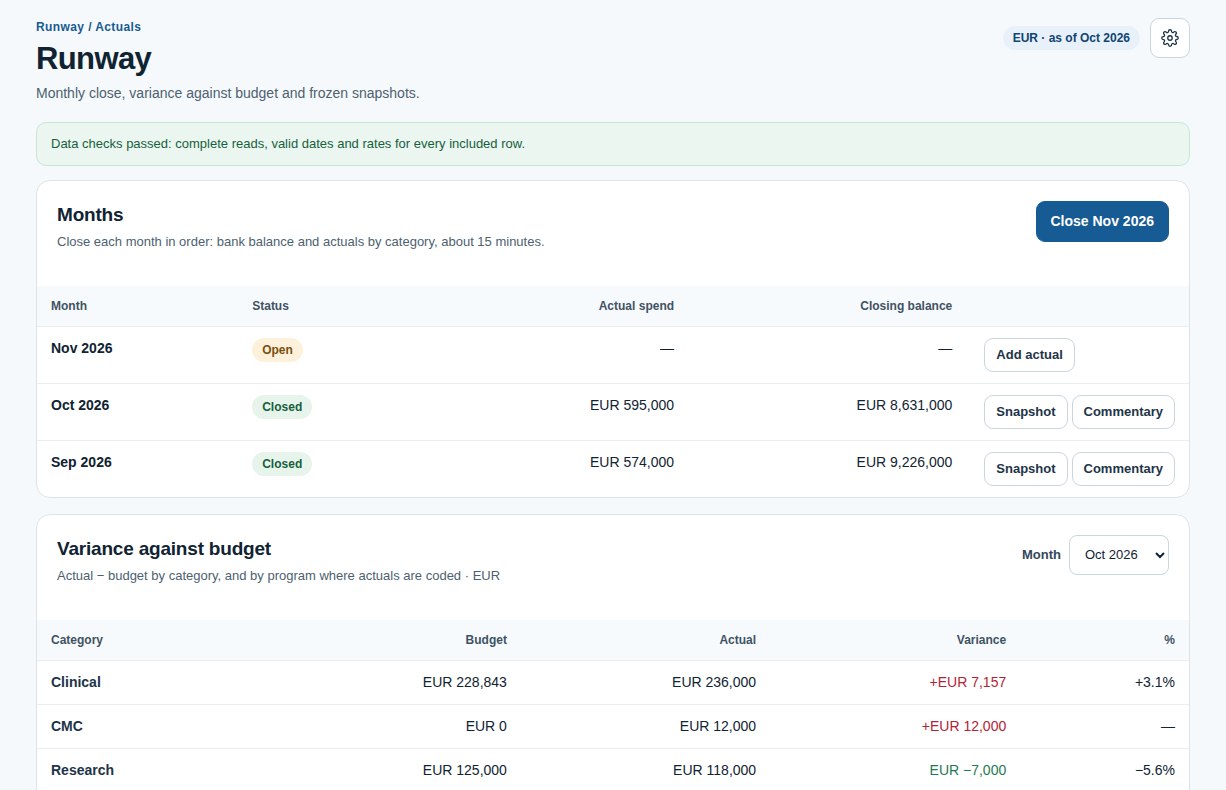
Choose the app whose saved result the responsible team can verify and maintain. If Runway fits, the spreadsheet mapping guide helps establish a baseline. For a product-level comparison, see Runway versus LivePlan. Keep the browser workflow available and configure any recurring work separately; a successful conversation is not proof of an unattended runner.
Start with Runway
Give your biotech cash plan a reusable home for reviewed assumptions, calculated forecasts and team decisions.
Start with Runway →