
Biotech budgeting · Series B shortlist
Excel and Google Sheets alternatives for biotech budgeting: what should you replace?
Choose whether to replace budget collection, the monthly cash model or the finance planning system. You may not need to replace the spreadsheet itself.
First-party editorial: we make TrialAgents Runway. Official product sources reviewed on 14 November 2026. These are conditional recommendations, not measured rankings or hands-on competitor tests.
Find the work your spreadsheet should stop doing
Choose TrialAgents Runway for a structured biotech monthly cash app, Airtable for a configurable record-based workflow, Aleph to keep Excel or Google Sheets connected to finance data, or Jirav for driver-based financial planning. The right alternative depends on whether the problem is collecting assumptions, calculating the plan or maintaining financial statements.
Keep a well-owned workbook when bespoke formulas are central and your team can review them reliably. Changing software will not resolve an undefined cost owner or an unexplained cash assumption. Start by naming the repeated failure: duplicate inputs, conflicting versions, fragile formulas or a model too narrow for finance.
| Option | What changes | What remains your responsibility |
|---|---|---|
| TrialAgents Runway | Operating assumptions move into a monthly cash-planning app | Reviewed mapping and suitability of the standard cash model |
| Airtable | Rows become linked records and configurable workflows | Designing and validating the budgeting calculations |
| Aleph | Spreadsheets gain a connected finance-data layer | Workbook logic, configured mappings and push/pull boundaries |
| Jirav | Finance builds budgets and forecasts in a driver-based model | Drivers, accounting mappings and ongoing finance ownership |
Runway: replace the operating cash workbook
 TrialAgents
 Runway gives a small biotech a defined starting model for monthly spend, cash-in, people and program milestones. Work through supported ChatGPT and Claude connections with authorized records, open the app interface where supported and continue in the browser. Embedded UI, conversational operations and scheduled work have separate host and setup requirements.
Customize the whole app, from fields and views to logic and workflows, or build a bespoke app. Validate financial logic after changes. Expand with operational apps and configured shared-data connections when programs or agreements should inform the plan; installing an app does not automatically connect its data.
Keep review and control explicit. Platform permissions, logs and optional configured automations support the work. Runway calculates monthly forecasts and scenarios, with locked budgets, monthly actuals and frozen close snapshots. An assistant prepares reviewed inputs; it must not invent or overwrite calculated outputs.
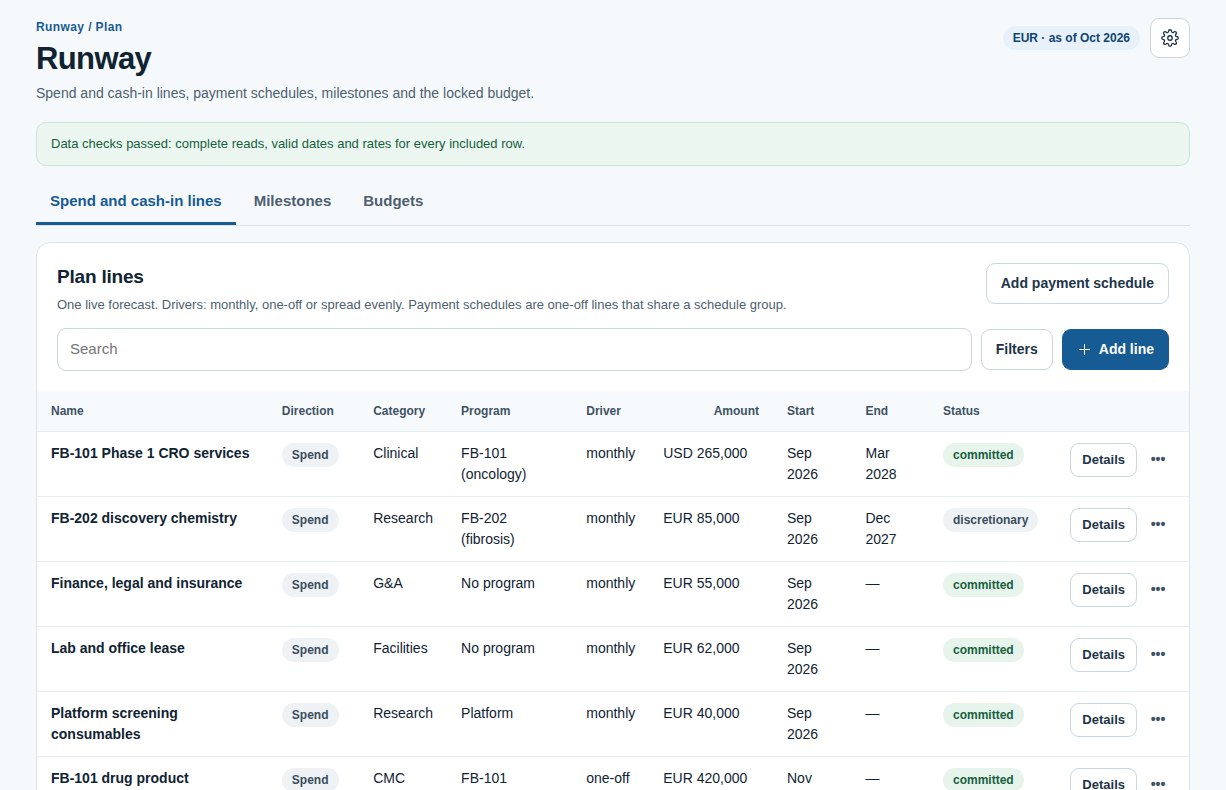
This is a good fit when operating cash is the decision model. It is not a replacement for bookkeeping, payroll, bank feeds, consolidation, integrated three-statement planning or a 13-week treasury model. There is no standard automatic workbook-formula conversion or Excel synchronization. See Runway versus Excel for the direct trade-off.
Replace a different part of the workflow
Airtable: organize inputs as records
Airtable can suit a team designing a structured commitment register around vendors, programs and owners. Its formula documentation explains the key difference from a spreadsheet: formulas operate within a record. Calculating across records requires configured links, lookups or rollups rather than arbitrary cell references. That makes the data relationships explicit, but it does not supply a reviewed biotech cash engine. Choose it when you want to build the workflow and can maintain its calculations.
Aleph: keep the spreadsheet, connect the data
Aleph’s Excel and Google Sheets integrations document pulling source data and pushing budgets or scenarios, including selected cells or entire spreadsheets. This is an alternative to manual consolidation of files, not necessarily an alternative to the spreadsheet interface. Consider it when finance wants to retain its models. Confirm the data source, mapped range, refresh behavior and destination of each push; a connected workbook still needs a formula owner and review process.
Jirav: move financial planning into a dedicated model

Jirav’s planning documentation describes driver-based budgeting, workforce plans, departmental participation and linked income statement, balance sheet and cash flow forecasts. Shortlist it when finance needs those relationships represented beyond a cash-only workbook. Ask how your accounting dimensions and hiring assumptions will map into the model. Moving the calculations does not remove the need to explain them.
Give each assumption one authoritative home
Consider a fictional biotech whose program leads maintain CRO commitments in Sheets while finance keeps an Excel hiring plan and board forecast. The problem is not the file format: it is whether the same cost enters the forecast twice or a revised payment date never reaches finance. Before selecting an alternative, write down these boundaries:
- Inputs. Assign an owner and stable identifier to each commitment or position. Separate the approved amount from its payment schedule, and identify which record carries the current date.
- Calculations. Decide whether the workbook, Runway or a finance platform owns the monthly result. Avoid parallel “official” models with different formulas or currency assumptions.
- Updates. Specify manual transfer, configured connection or supported spreadsheet push/pull for each handoff. Record who reviews changes; do not call a periodic export a live sync.
- Acceptance. Compare one reviewed month and one changed assumption before replacing the old process. Explain opening cash, receipts, payments and closing cash, not just the final runway number.
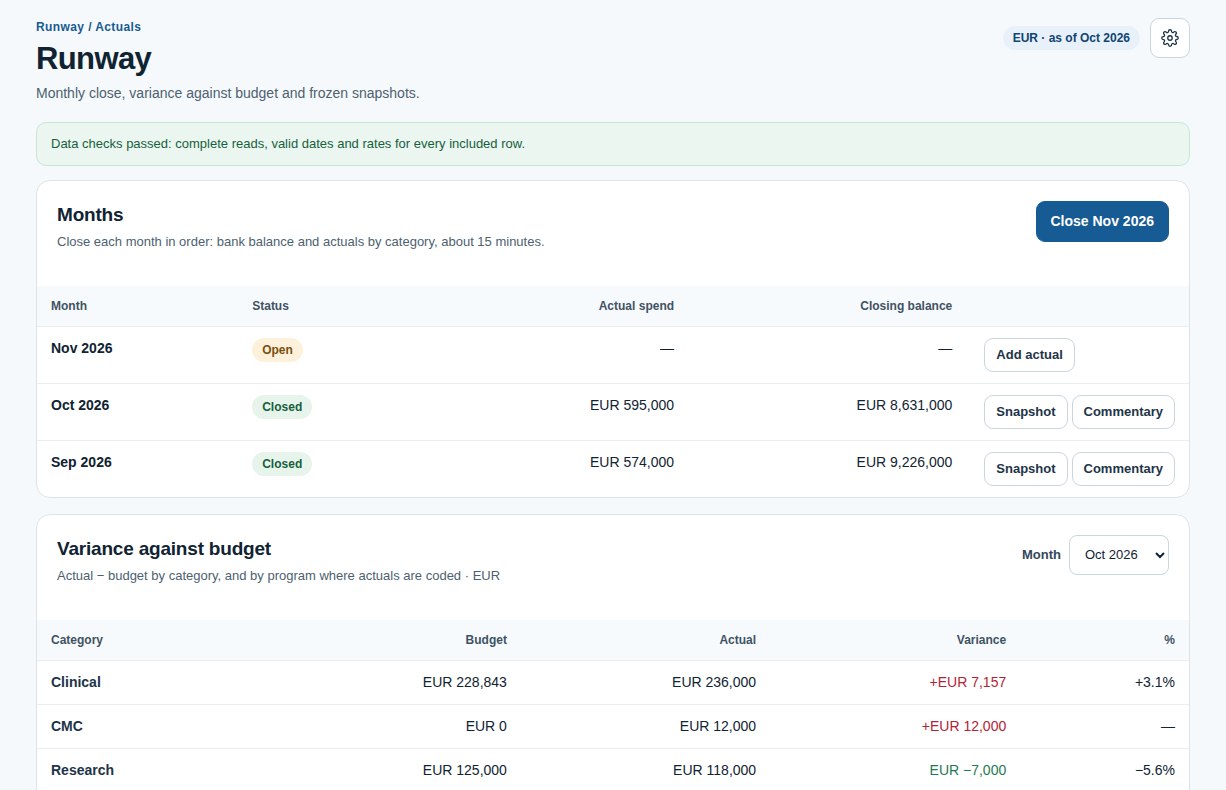
If Runway is the destination, the spreadsheet-to-Runway mapping guide explains the next step. Otherwise, retain the same principle: replace the unreliable handoff first. Keep spreadsheet flexibility where it remains useful, and adopt a dedicated model only when its scope matches your decisions.
Start with Runway
Put biotech operating assumptions into a monthly cash app your team can adapt and review.
Start with Runway →