
Biotech finance · Comparison
TrialAgents Runway vs Excel: which fits your biotech’s cash planning?
Plan biotech cash runway with software you can use, manage and customize inside ChatGPT and Claude—then connect it to the rest of your operations.
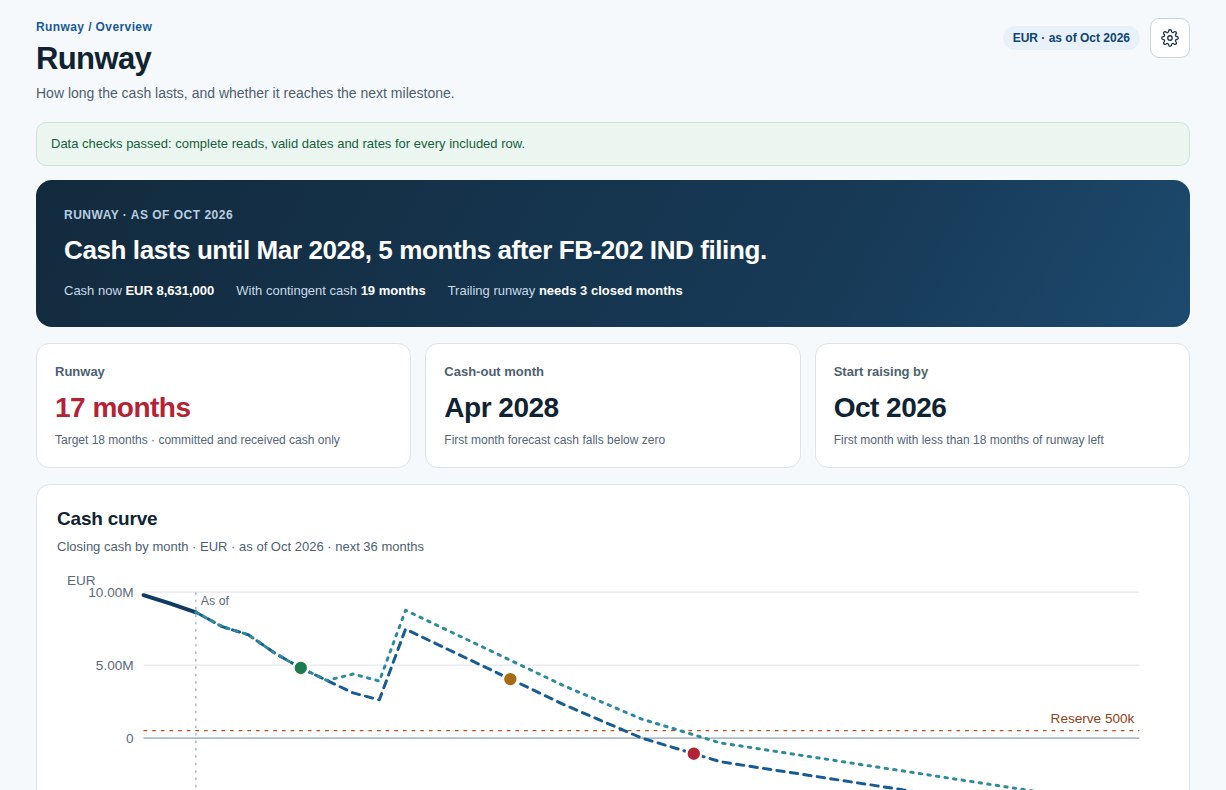
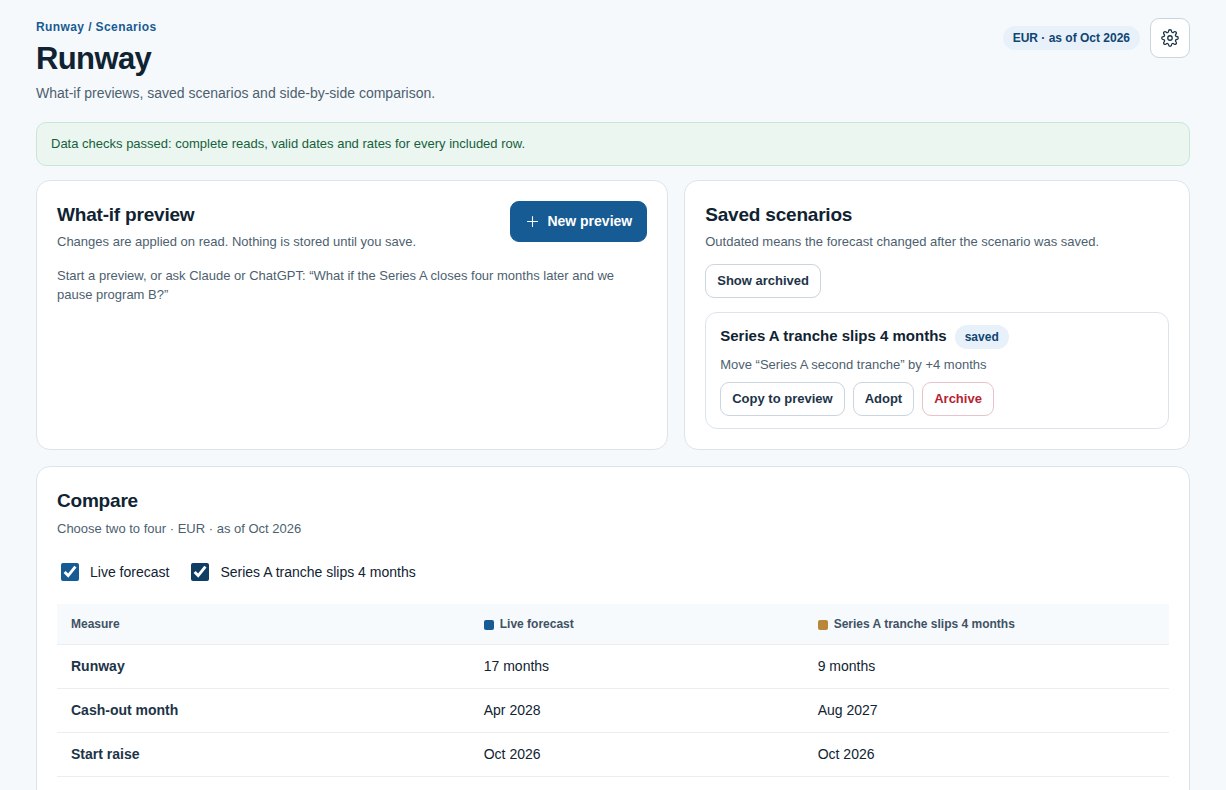
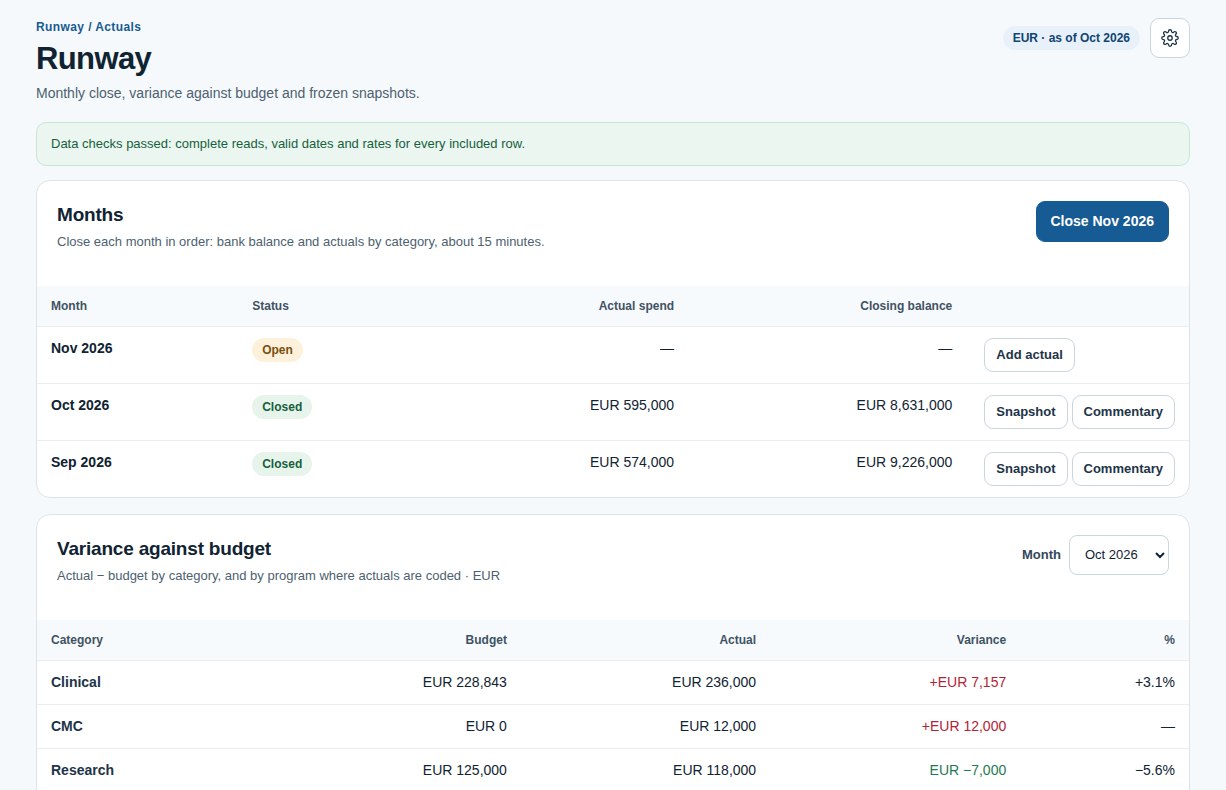
First-party comparison. Screenshots show the Runway 2.1.0 template with fictional demonstration data.
Native ChatGPT and Claude connections. Unlimited customization possibilities. A growing workspace of connected apps. Runway brings those platform advantages to cash planning, scenarios and monthly reviews.
Connect natively to ChatGPT and Claude
TrialAgents makes your AI assistant a place to use the software and manage the work. Connect once and continue with the same saved apps and data across conversations.
- Use the app inside your chat. Open its interface and work with records, dashboards and views alongside the conversation.
- Operate it through conversation. Ask your assistant to update planning inputs, explore scenarios or prepare monthly commentary.
- Continue on the web. Open the same app in your browser, with the same shared data and access controls.
For Runway, try: “Show how a three-month financing delay affects cash at our next milestone.” Review the scenario before adopting changes. Excel also offers AI through Copilot; TrialAgents centers the workflow on your connected apps inside ChatGPT and Claude.
Unlock unlimited customization possibilities
Start with the Runway template, then ask your assistant to reshape the whole app: layout, fields, charts, views and workflows. You can also build a new bespoke app, save it and share it with your team.
Add a program-specific view, change how milestones appear or create a board-reporting workflow. Settings are a starting point; the app itself can evolve with your company.
Excel offers extensive cell-level flexibility. TrialAgents brings that freedom to building and adapting connected business apps through conversation.
Add more apps. Connect your operations.
Runway can work on its own or become part of your wider TrialAgents workspace. Add apps and connect them through shared, permission-controlled records.
- Programs: link cash planning to program milestones.
- Contracts: connect payment schedules to agreements.
- Board reporting: reuse approved monthly snapshots in reporting workflows.
Choose existing apps or build your own. Your assistant can help configure the connections so relevant data is reused across workflows.
Automate follow-up. Keep control.
Runway combines monthly planning with the platform controls needed for financial work:
- Optional automations: configure a below-target runway email alert or a monthly exchange-rate update with an assistant runner.
- Access control: restrict sensitive fields such as salaries, share approved snapshots and manage assistant access separately.
- Logs and history: trace changes and review saved app versions.
- Monthly discipline: compare actuals with a locked budget, preserve snapshots and preview scenarios before adopting them.
TrialAgents Runway vs Excel, at a glance
| Capability | TrialAgents Runway | Excel |
|---|---|---|
| AI workflow | Use apps and manage work inside ChatGPT and Claude | Copilot-assisted workbook editing and analysis |
| Customization | Reshape the whole app or build a bespoke one through conversation | Flexible formulas, sheets, charts and workbook automation |
| Connected operations | Shared records across configured TrialAgents apps | Linked workbooks and external data connections |
| Controls and follow-up | Platform permissions, logs and optional app automations | Microsoft sharing, history and automation capabilities vary by setup |
| Cash planning | Monthly forecasts, hiring, milestones and saved scenarios | Build or adapt your own financial model |
Keep Excel for detailed bespoke financial models where its formula flexibility matters. Choose TrialAgents when you want cash planning within a customizable, AI-native operating platform.
Runway does not replace payroll, bookkeeping or a general ledger. The standard app does not include bank/accounting sync, automatic Excel sync or a full three-statement model.
Start with Runway. Make it yours.
Connect TrialAgents to ChatGPT or Claude, open Runway and set up a reviewed forecast. Test a scenario, customize a view and connect a second app when you need it.
Your biotech’s software, shaped through conversation.
Use it. Customize it. Connect the rest of your work.
Open TrialAgents →