
Startup finance · Series B shortlist
cfo.ai (Runway Financial) alternatives: choose who owns the model
Five options for founders deciding between an operating app, connected spreadsheets and a finance planning platform.
First-party editorial: we make TrialAgents Runway. This shortlist uses official product documentation reviewed on 13 November 2026, not hands-on competitor benchmarks. Recommendations reflect workflow fit, not measured rankings.
Choose where your financial logic should live
Shortlist TrialAgents Runway if you need an adaptable biotech operating app; Aleph if you want to keep your spreadsheets; Jirav or Abacum if finance will run a broader planning model; and Excel if direct control over formulas matters most. The useful distinction is who maintains assumptions, checks connections and approves changes after the first forecast is built.
| Alternative | Where the work centers | Responsibility to plan for |
|---|---|---|
| TrialAgents Runway | A customizable biotech app with monthly cash calculations | Operations maintains inputs; finance reviews the cash model |
| Aleph | Excel/Sheets models supported by connected data | A spreadsheet owner maintains formulas and mappings |
| Jirav | Driver-based budgets and linked financial statements | Finance configures drivers and forecast assumptions |
| Abacum | Connected financial statements and collaborative scenarios | Finance coordinates model logic and budget-owner inputs |
| Excel | A workbook built around your own logic | A named owner handles updates, review and versions |
Which Runway? This page concerns cfo.ai, the finance business previously called Runway—not video software or TrialAgents Runway. Its terms name Runway Financial, Inc. and its updated Runway essay describes CFO.ai’s current model and Canvas experience.
Do not switch merely to get AI. cfo.ai’s agent documentation already describes Ari, deterministic calculations, source lineage, reversible writes and MCP access. Its integration catalog distinguishes native, API and MCP connections. If those workflows fit your company, staying with cfo.ai may be sensible. A connector listing alone does not establish the data fields, refresh behavior or permissions your model needs.
TrialAgents Runway: organize the operating decisions
 TrialAgents
 Runway is a strong starting point for a small biotech whose forecast depends on programs, CRO commitments, positions and milestones. The point is to give those assumptions a working home that the team can adapt.
Use the app through supported ChatGPT and Claude workflows. Work with authorized records, open the app interface where the host supports it, and continue in the browser. Conversational operation, embedded UI and unattended execution are different capabilities; host support and setup must be checked separately. Runway’s standard financial outputs come from its calculation engine, not invented assistant answers.
Customize beyond the model. Change fields, views, layouts, logic and workflows, or build a bespoke app around a recurring review. Validate changed financial calculations before relying on them. Add connected operational apps where program or agreement information should inform planning; shared data requires explicit configuration and authorization.
Keep the review history. Platform access controls, logs and configured automations support the workflow. Runway adds monthly actuals, locked budgets and frozen snapshots alongside monthly cash-in, spend and scenarios. It does not provide a general ledger, payroll, built-in bank/accounting sync, three-statement planning or a 13-week liquidity engine.
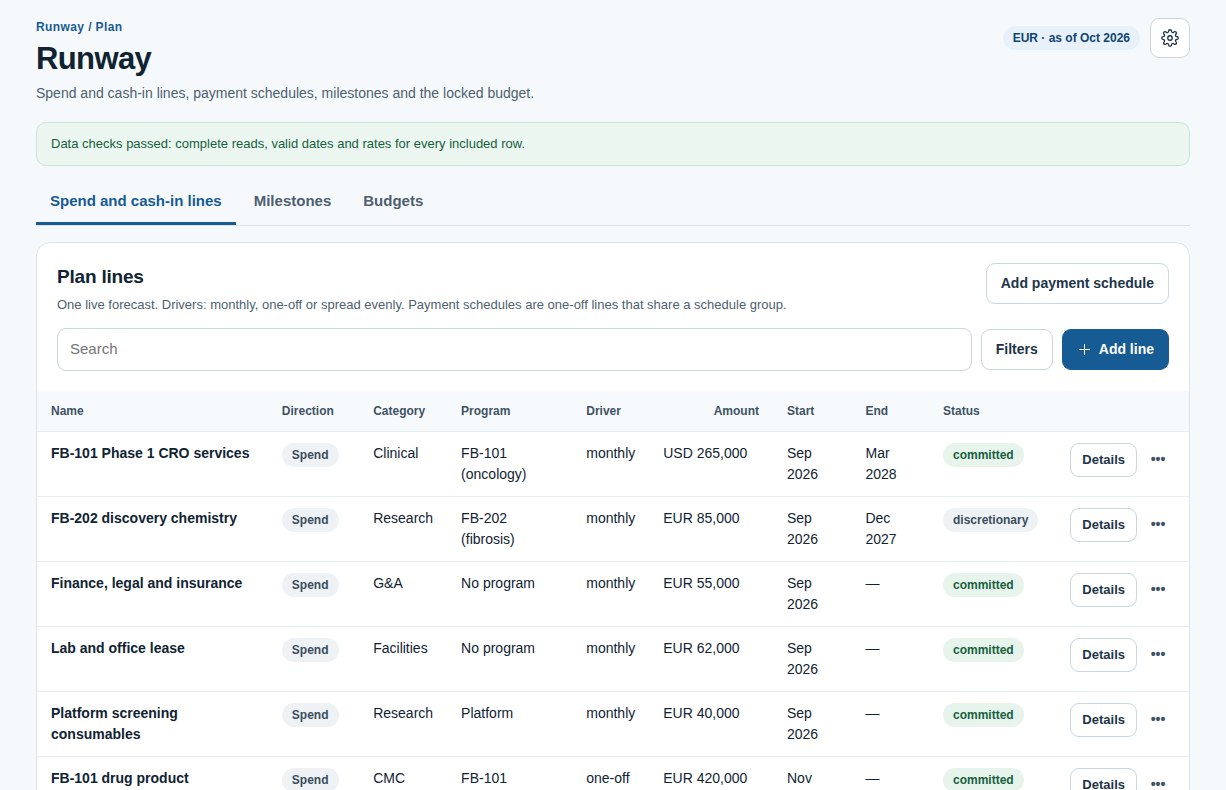
Choose it when making the operating plan usable is the main problem. If replacing a connected finance model is the requirement, evaluate the missing financial and integration capabilities explicitly. The Runway vs cfo.ai comparison examines that two-product decision.
Four options when the finance model comes first
Aleph: preserve a spreadsheet workflow
Aleph offers Excel and Google Sheets add-ins connected to a web FP&A platform. Users can pull consolidated data and push budgets or scenarios back into Aleph. Consider it when an existing workbook captures your business well but maintaining its data inputs has become difficult.
The ownership question is what stays in spreadsheet formulas and what moves into the platform. Ask the model owner to demonstrate a changed assumption and a source-data refresh without losing that change. Verify the specific connectors and mappings rather than assuming every integration behaves alike.
Jirav: express the business through financial drivers

Jirav supports driver-based planning across the income statement, balance sheet and cash flow, including budgets and workforce plans. Shortlist it when finance needs those relationships in the model, rather than a monthly cash-only view.
Its account functionality documentation distinguishes forecasting and scenario capabilities by account configuration. Confirm the actual functions available to your team, then demonstrate how a hiring assumption flows through the statements. A feature shown elsewhere on the website is not enough.
Abacum: coordinate financial statements and scenarios
Abacum describes financial statements built from connected ERP actuals. Its scenario workflow supports linked versions, driver changes, comparisons, comments and approvals. Consider it when finance must coordinate inputs from several budget owners.
Ask who configures the model, who can change shared assumptions, and how an approved scenario becomes the working forecast. For a small startup, that ownership and setup work matters as much as the breadth of the feature list; this article does not claim a measured implementation time.
Excel: keep direct control of the model
Excel gives a capable finance owner extensive formula and layout flexibility. It can remain the right choice when the team understands the workbook and needs bespoke logic more than a new platform.
Budget for the work around the formulas: updating source data, reviewing errors, controlling versions and explaining dependencies to the next person. Our Runway vs Excel comparison covers the trade-off between that flexibility and a structured app.
Give every vendor the same decision to explain
For a biotech evaluation, use a fictional brief: a program hire starts later, an existing CRO commitment stays payable, and a prospective funding receipt is still conditional. Ask for the following evidence. This is a suggested evaluation exercise, not a test we ran in these products.
- Locate the assumptions. Show the hire’s start month, the payment obligation and the funding condition as separately reviewable inputs. Do not let one “delay” change all three without explanation.
- Trace the result. Identify which records or formulas changed monthly cash. Separate a calculation from the judgment that makes an assumption reasonable.
- Show the boundary between preview and commitment. Demonstrate what is temporary, what is saved and who can adopt a scenario. Confirm that actuals and historical baselines remain intact.
- Demonstrate a handoff. Have the intended model owner explain the change, its source and how it would be reversed. Check that another permitted team member can repeat the review.
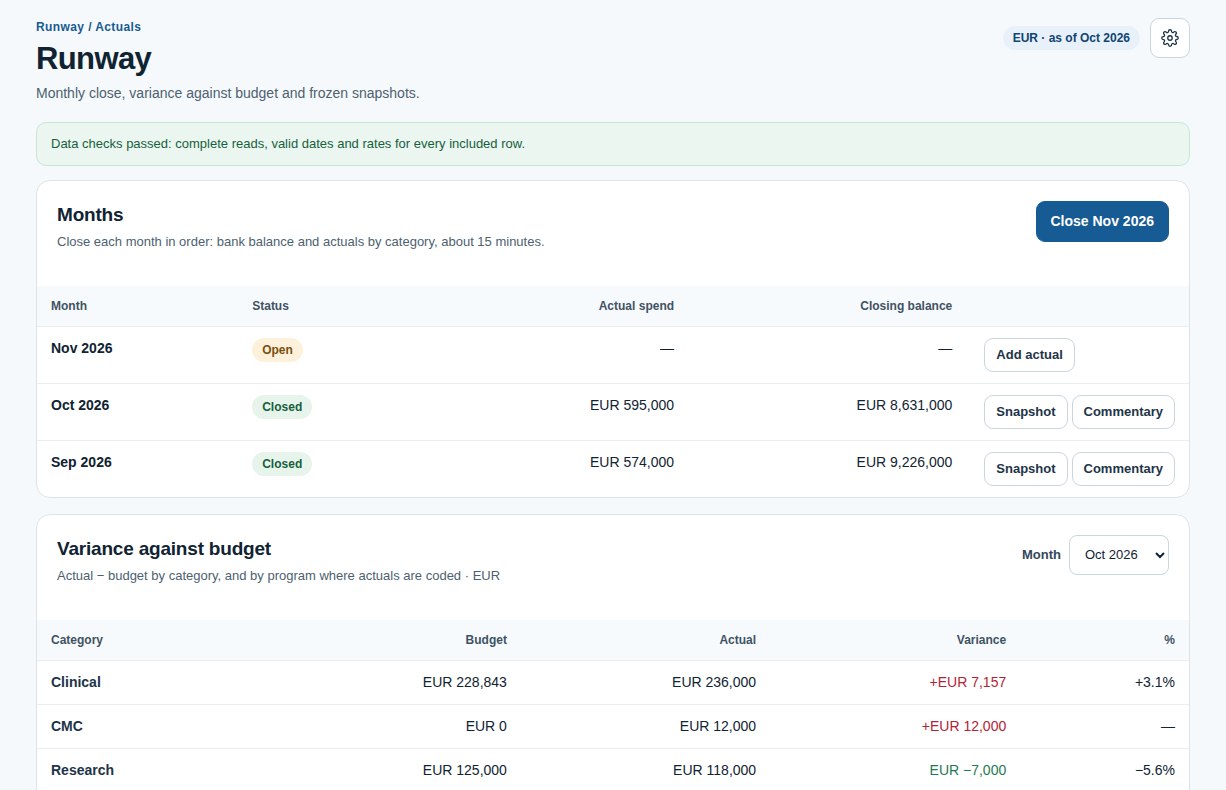
Our practical recommendation: decide who will own this review before choosing software. A pre-revenue biotech may want an adaptable operating app; a finance team managing linked statements may need a dedicated FP&A platform. Neither choice removes responsibility for the assumptions.
Start with Runway
Put your biotech operating assumptions into a monthly cash-planning app, then customize the workflow around your team’s decisions.
Start with Runway →