
Assistant-native planning · Series C
Cash runway apps in ChatGPT: compare the connection before the forecast
Choose the financial app by what ChatGPT can read, change and show—and where your team verifies the result.
First-party editorial: we make TrialAgents Runway. Documentation reviewed on 14 November 2026. This is a documented comparison and evaluation recipe, not a completed end-to-end host test or performance ranking.
Start with the action you need
For a biotech monthly cash app you can use and adapt through supported ChatGPT surfaces, consider TrialAgents Runway. For conversational access to a business plan and forecast, evaluate LivePlan’s documented MCP connection. Treat cfo.ai as another MCP candidate whose exact ChatGPT experience needs confirmation. A model described in chat, a saved financial record and an interactive app are different deliverables.
OpenAI’s connection guidance explicitly separates tools from an interactive interface. Custom-server access depends on account and workspace permissions. Follow the current host instructions rather than assuming a vendor’s older setup screenshots match your account.
What should remain after the conversation?
Analysis
An explanation or proposed inputs. This alone does not update your financial app.
Connected action
An authorized read or reviewed write to the app’s persistent records.
App interface
A supported interactive view for inspecting the app. A connector alone does not establish it.
Compare documented support, not the AI badge
| App | Documented route and actions | Boundary to verify |
|---|---|---|
| TrialAgents Runway | TrialAgents connection; authorized inputs, app customization and supported embedded app views | Account access, actual host display and reviewed saves; browser remains available |
| LivePlan | Early-access MCP; ChatGPT setup documented; forecast reads, line-item writes and scenarios | Vendor says designed/tested for Claude; ChatGPT setup and embedded UI are not independently verified here |
| cfo.ai | Remote MCP with OAuth; financial-model reads and writes under member permissions | Current setup guide names Claude Code and Codex; exact ChatGPT path and embedded UI need confirmation |
Runway starts with biotech operating cash rather than a blank model. Use supported ChatGPT or Claude connections to work with authorized inputs and open the app where the host supports it. Host setup and rendering must be checked separately. Customize the whole app—fields, views, logic and workflows—or build a bespoke version, then validate changed calculations. Add operational apps and explicitly connect shared data, such as program milestones. Installing two apps does not prove their records are connected.
Keep access and review controls in place. Runway computes monthly forecasts; assistants prepare inputs and commentary. Scenario preview, saving and adoption are separate steps. Optional automations need their own setup. The standard app does not supply bank/accounting synchronization, three-statement planning or an intramonth 13-week cash model.
LivePlan’s connector documentation lists forecast summaries, cash position, financial statements and editable forecast items. It is a useful candidate when the business plan and financial forecast belong together. Its early-access warning matters: review changes carefully, and confirm your account’s current access. The documentation’s principal walkthrough is for Claude, despite a separate ChatGPT setup section.
cfo.ai documents a calculation engine, source lineage and reversible model writes. Its current setup guide describes remote MCP authentication and a first read, with named instructions for Claude Code and Codex plus general client guidance. That supports further evaluation; it does not establish a tested ChatGPT interface. Ask for a demonstration in your intended host before choosing on that basis.
Evaluate one bounded change
Use a separate demonstration app with fictional records and permission to edit it. For Runway, begin with a reviewed baseline, reporting currency, month-end opening balance and any required FX rates. This six-step recipe checks the connection and handoff without pretending that a conversational answer is a saved forecast.
- Confirm identity. Select the intended app and account. Ask the assistant to identify the accessible app and its data scope before discussing changes.
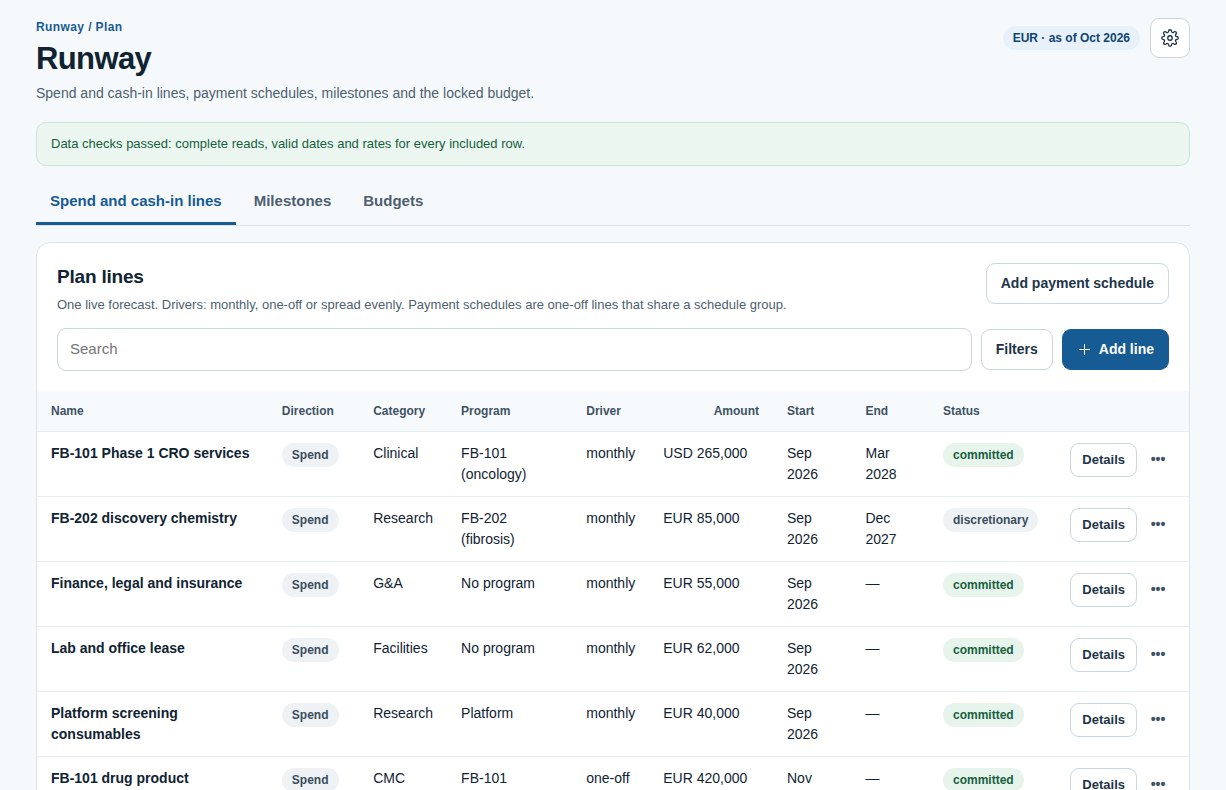
- Read one known input. Find a fictional one-off CRO payment by its saved identity. Compare amount, currency and month with Plan in the app.
- Request a proposal. Ask to move that payment from March to April. Have the assistant identify the exact record and proposed field change, without saving or altering unrelated records.
- Review and save deliberately. Approve only the intended input change through the supported review. Confirm the save receipt; a proposed change is not completion.
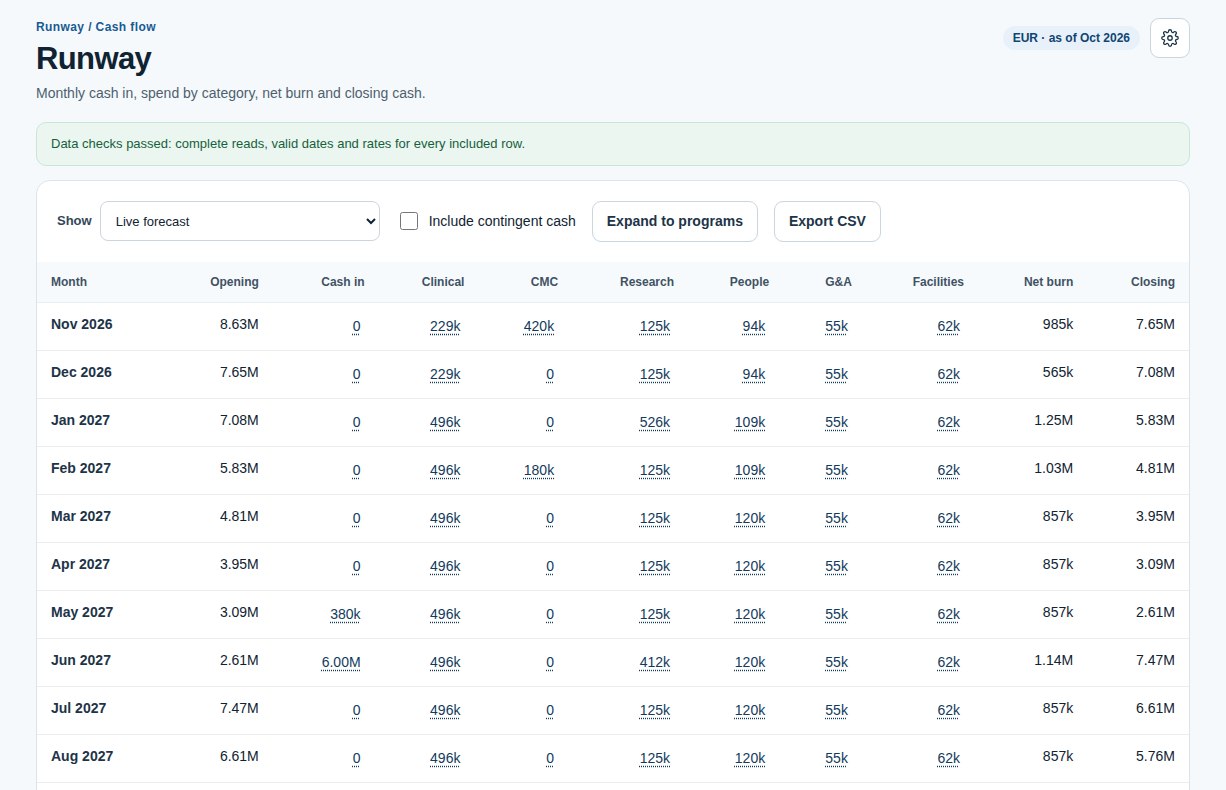
- Inspect the app calculation. Open Cash flow and compare March and April against the retained baseline. Runway calculates the output; do not ask the assistant to overwrite derived totals.
- Reopen and reconcile. Check the saved payment in the browser. Confirm persistence, unchanged amount and the expected month. Record any host limitation before adopting the workflow.
Read the one-off CRO payment I identify in our demonstration Runway app. Show its current amount, currency and payment month. Propose moving only that payment from March to April. Do not save yet, change its amount, shift the whole program or write forecast outputs.
Choose the workflow your team can verify
Choose Runway when an adaptable biotech monthly operating app fits the decision. Evaluate LivePlan when business-plan content and its financial forecast are central. Investigate cfo.ai when you need its connected financial model, while confirming the host experience separately.
For any option, require a successful read, an intentional reviewed change and a matching saved result in the app. Confirm who owns the model and how the team continues if the assistant is unavailable. Runway’s browser app remains usable independently of an assistant session; a chat connection is not a background-monitoring commitment.
Once you have chosen Runway, use the ChatGPT setup and scenario guide or the spreadsheet mapping guide to establish your reviewed baseline.
Start with Runway
Build a monthly biotech cash plan with inspectable inputs, app calculations and a workflow your team can adapt.
Start with Runway →