
Templates and setup · Series E
Free biotech cash runway template: start in Excel, grow into an app
A useful first forecast shows when cash leaves, when funding arrives and which month needs attention. Start with our editable 12-month workbook, then decide whether a spreadsheet or a shared Runway app fits the next stage.
First-party resource, version 1.0. Fictional figures, not trial-cost benchmarks. Workbook formulas recalculated and independently checked; no Microsoft Excel or assistant host acceptance test is claimed. Runway capabilities are based on current 2.2 documentation; images are genuine 2.1 browser demos.
Download the free cash runway workbook (.xlsx) — one editable sheet, no signup, macros or external data connections. It contains a worked EUR example, monthly cash-in and spending inputs, a rolling cash balance, reserve headroom and the first negative month.
Start with payments you can explain
Save a dated copy before editing. Replace the blue input cells: opening cash in B5, your chosen reserve in B6, the first forecast month in B7, and monthly amounts in B15:F26. Opening cash belongs immediately before the first forecast month. Changing B7 relabels the plan; it does not reconcile the timing of existing payments for you.
| Column | Enter cash paid or received |
|---|---|
| Cash-in | Receipts deliberately included in this case, in their expected receipt month. |
| People | Salary, employer costs and benefits paid; count them once. |
| CRO / clinical | Scheduled clinical service payments, including one-off deposits. |
| Lab / CMC | Laboratory, manufacturing and related payments. |
| Other cash-out | Facilities, overhead, tax, capex and remaining payments not included elsewhere. |
Use positive numbers for both receipts and payments, and explicit zeros for months with no amount. A missing monthly input exposes an error rather than silently becoming a zero. Keep uncertain financing and its supporting conditions separately; this simple workbook has no committed-versus-contingent status engine.
The calculation is visible: total cash-out sums the four spending columns; closing cash equals opening cash plus receipts minus payments; next month opens with the preceding close. The reserve is subtracted only in the headroom column, not from cash itself. Microsoft documents the underlying SUM and EDATE functions.
Reconcile the example before replacing it
The file starts with €1.2 million before January 2027 and no receipts. Monthly cash-out is €120,000: people €60,000, clinical €30,000, lab €10,000 and other €20,000. June includes an additional €180,000 clinical payment, so its clinical input is €210,000 and total cash-out is €300,000.
| Month | Cash | Interpretation |
|---|---|---|
| January | €1,080,000 | €1.2m less €120k |
| June | €300,000 | Six normal months plus the extra €180k |
| August | €60,000 | Positive, but €40k below the chosen €100k reserve |
| September | −€60,000 | First negative month |
| December | −€420,000 | Unfunded gap, not an assumed overdraft |
All 12 base balances and two receipt-timing cases were independently checked. Zero was tested separately from negative cash, and blank-input behavior was tested. The file does not forecast beyond its 12 rows, convert currencies, build accounting statements or establish payment-day liquidity. Replace the fictional amounts with a complete payment plan, including taxes and other obligations relevant to your company.
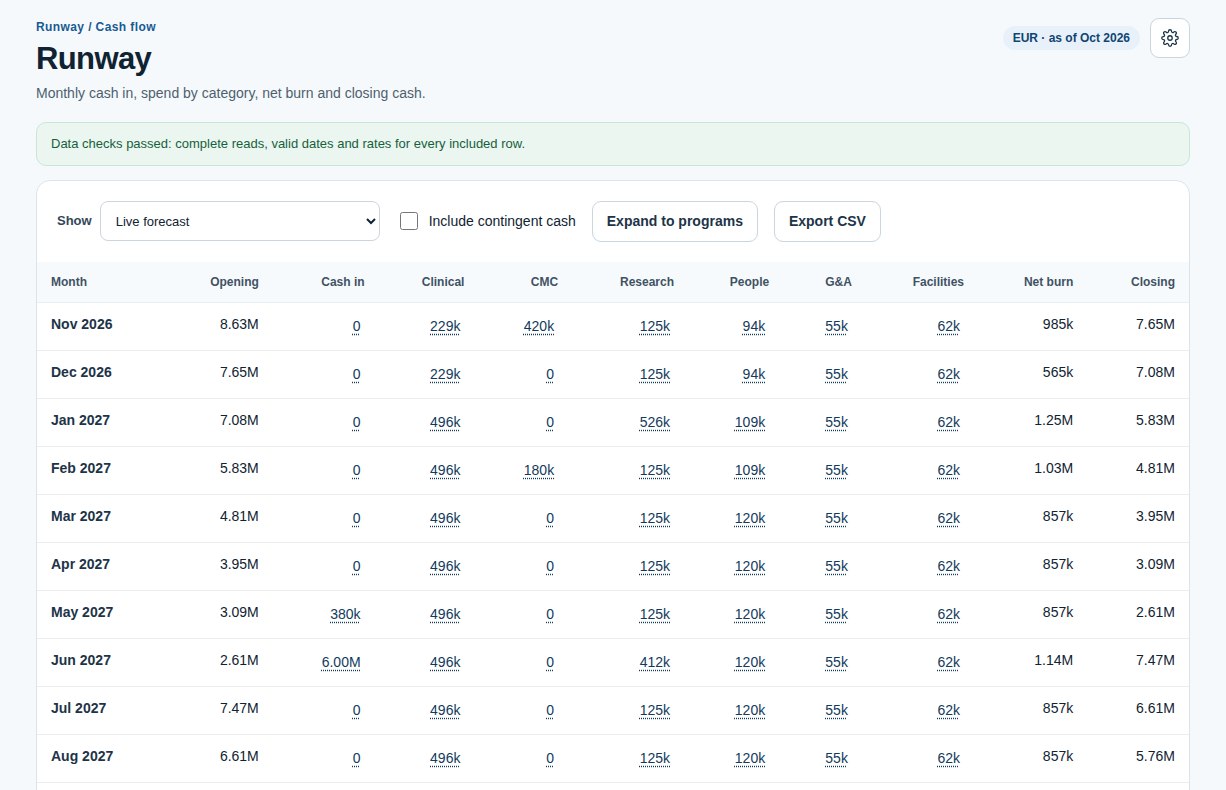
Change the receipt month, then inspect the gap
In a copy, enter €600,000 in September’s cash-in cell B23. September closes at €540,000 and December at €180,000. Then reset B23 to zero and put €600,000 in October’s B24. December still closes at €180,000, but September is now negative €60,000 before October recovers to €420,000.
The same annual funding amount can leave a different financing gap. A later receipt does not fund earlier payments retroactively. Keep the original file, date each case and record why a receipt moved. For the operational decision behind that test, see planning runway around a funding round.
Choose where the next forecast should live
Keep the workbook when one owner needs a transparent, portable starting point and is comfortable maintaining formulas and versions. Excel can support much richer models than this template. This download deliberately provides a small monthly cash model, not every capability of Excel or Runway.
Choose TrialAgents Runway when the forecast needs a persistent app that your team can work with through supported ChatGPT or Claude connections and on the web. Ask an authorized assistant to prepare the inputs and explain Runway’s calculated results; review available actions and permissions rather than assuming identical behavior in every host.
Customize the app’s fields and workflow as responsibilities grow. Add other apps and explicitly connect relevant data sources; linked commitments and obligations require reviewed additions or updates to the plan. Runway also provides program-linked spending, People inputs, scenarios, locked budgets and monthly close snapshots under its access and review controls.
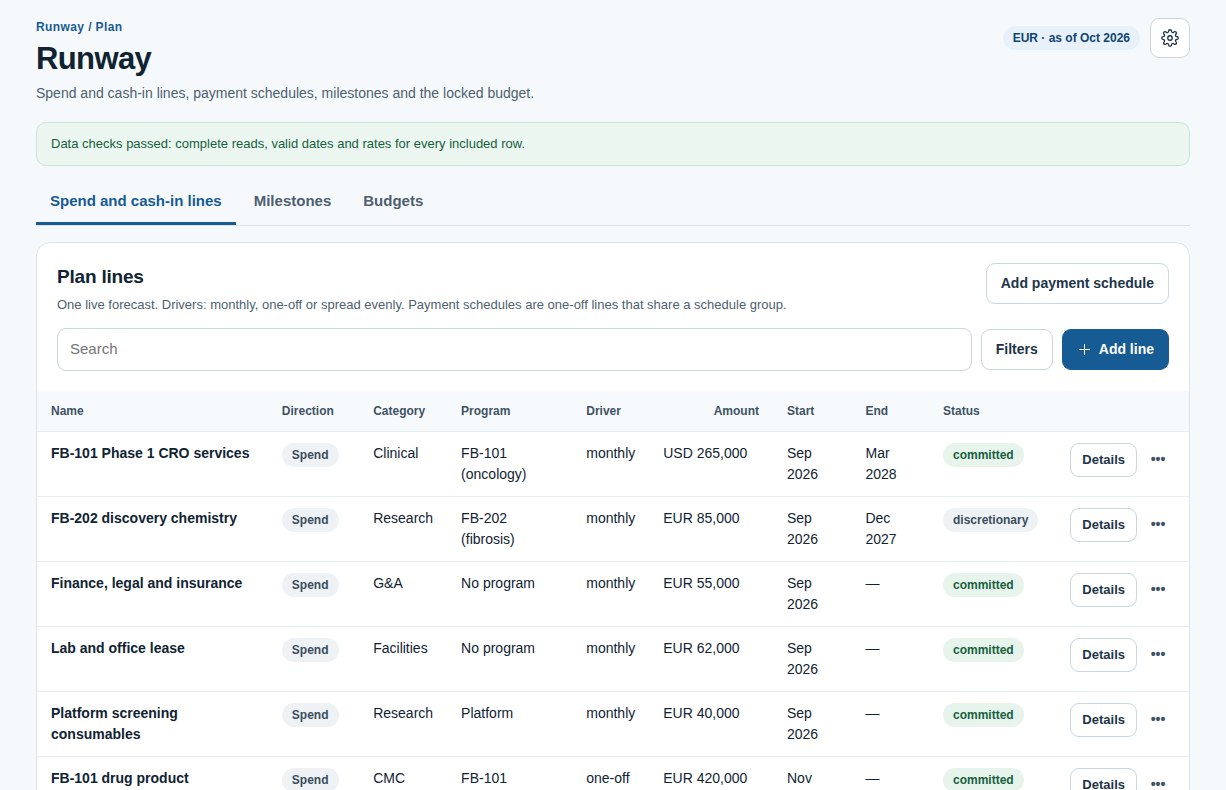
There is no promised one-click import or live synchronization for this workbook. Follow the Excel-to-Runway mapping guide: retain the original, map inputs, avoid duplicating People costs, and reconcile each month before adopting the app forecast.