Dashboard setup · Series E
Build a biotech cash runway dashboard without coding: set up, reconcile, then share
Start with Runway’s existing screens. Add your opening cash and dated assumptions, check a small known case, and give each reader the access they actually need.
A first-party setup guide based on Runway 2.2 documentation and source. The fictional acceptance case is independently calculated, not a completed app or assistant-host test. Genuine 2.1 browser demo images show different data.
Start from a working cash-planning structure
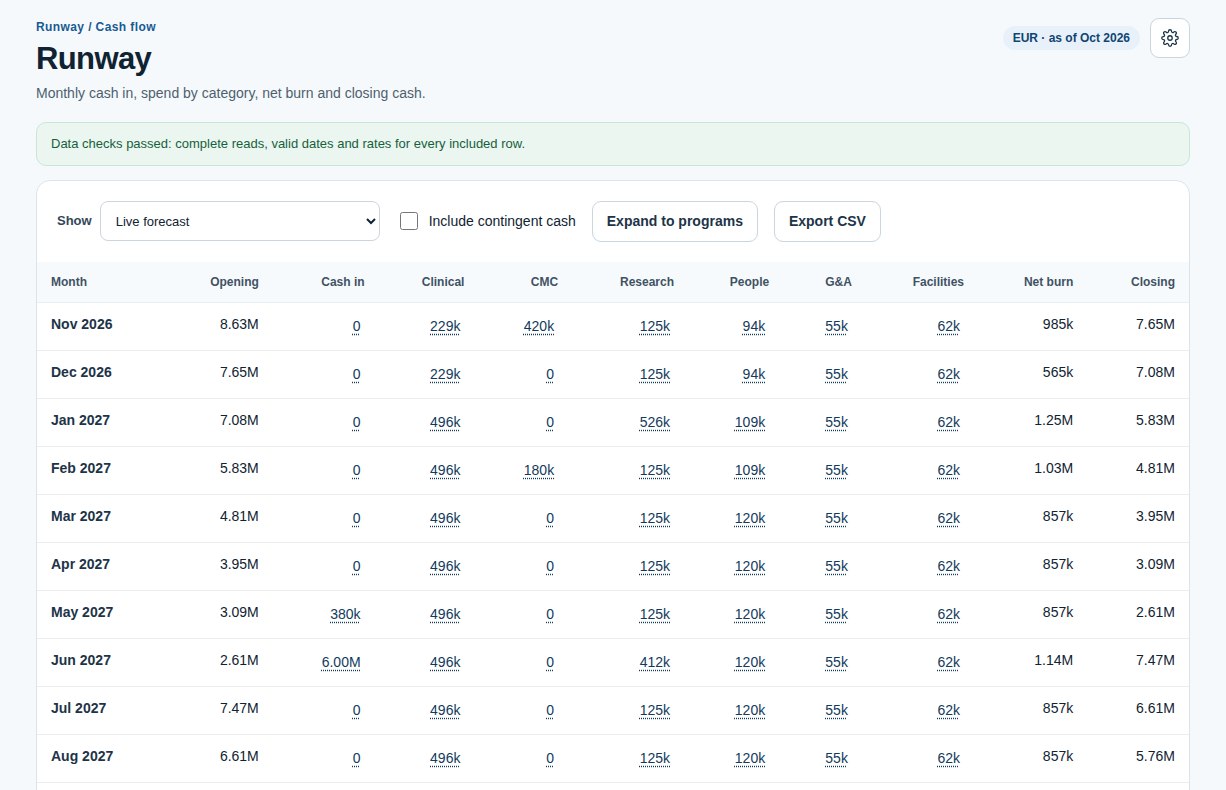
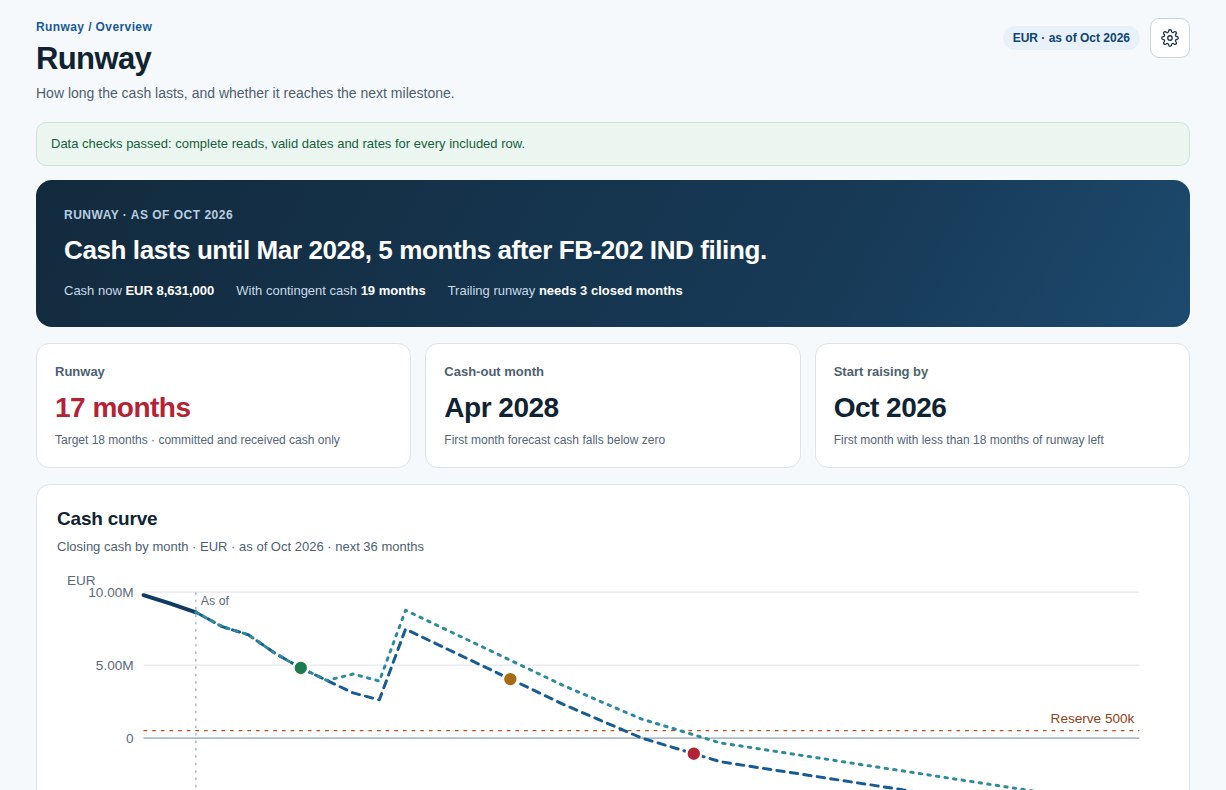
You can set up a biotech cash runway dashboard without writing code by installing TrialAgents Runway and configuring its existing Settings, Plan and People screens. Overview presents the cash curve and runway; Cash flow exposes the monthly balances behind them. This route configures an existing app, rather than promising that any new financial calculation can be created safely with one prompt.
With TrialAgents connected in ChatGPT or Claude, ask: “Help me set up Runway for our biotech. Check for an existing or archived app first. Prepare settings and input records for review, keep uncertain financing separate, and use the app’s calculations for the dashboard.” Confirm available actions and access. App commands depend on platform setup; when unavailable, use reviewed input proposals and the corresponding app controls.
Open Runway and choose Use, or restore the existing app when appropriate. Review the offered data connections instead of creating duplicate program records. Save the app, then open Settings. A preview or an assistant’s proposed change is not evidence that records have been saved.
Keep the overview focused on decisions. Microsoft’s dashboard design guidance recommends audience-specific metrics, context and consistent time frames. Applied here: know the as-of month, reporting currency and forecast basis before interpreting a large runway number.
Connect every displayed figure to an input
| Where | Enter or review | Check before relying on it |
|---|---|---|
| Settings | Reporting currency, opening balance and month-end date | Reconcile the balance with finance’s cash records |
| Plan | Spend, receipts, dates and payment patterns | Use payment months; separate committed and contingent receipts |
| People | Roles, dates, annual salary and loaded-cost assumption | Do not also include those salaries in aggregate Plan costs |
| Programs and milestones | Program links and meaningful target dates | Include shared company costs as well as program spend |
| Cash flow | Live forecast and monthly detail | Trace a balance back to the contributing lines |
For foreign-currency inputs, review the required monthly FX rates. Missing rates or unreadable inputs are data-quality problems, not zero costs. Runway does not supply a native bank, accounting or payroll feed; enter actuals or prepare reviewed records from material you provide. Use the Excel migration guide when mapping an existing workbook.
Customize labels, optional form fields or layout through reviewed changes after the basic model reconciles. New categories or calculations can require more than presentation changes. If a Programs or Contracts app owns a source record, connect it explicitly and review additions or updates into Runway; a connection does not silently synchronize every external system.
Prove the numbers with a small acceptance case
Use a separate test app or clearly isolated test dataset, never mixed into the company’s live plan. Set EUR opening cash to €1.2 million at 31 December 2026. Add one committed monthly spend line of €100,000 from January–December 2027 and one committed €200,000 one-off payment in March. Add no People positions or receipts; all costs are included in those two lines.
| Check | Expected result | What it catches |
|---|---|---|
| January closing cash | €1,100,000 | Opening date and first forecast month |
| March closing cash | €700,000 | One-off payment included once |
| October closing cash | €0 | Zero remains nonnegative |
| November closing cash | −€100,000 | First negative month |
| Runway at December 2026 | 10 full nonnegative months; cash-out November 2027 | Uses dated payments, not opening cash divided by a flat burn estimate |
Inspect Cash flow and its cell detail, then compare Overview. If the results differ, check payment drivers, dates, duplicates and the selected forecast source before styling the dashboard. Cash divided by €100,000 would suggest 12 months but miss the March payment. This simplified case excludes FX, financing and all costs outside the stated lines; it is not a biotech spending benchmark.