
Practical cash planning · Series E
Build a 13-week biotech cash forecast: find the gap inside the month
A positive month-end balance can hide a payment shortfall two weeks earlier. Build a dated weekly worksheet, then reconcile it with the monthly company plan.
This guide describes an external worksheet, not a built-in weekly Runway feature. Fictional figures are independently calculated, not benchmarks. Product references use Runway 2.2 documentation; genuine 2.1 browser demos show different data. No assistant host test is claimed.
Start with a dated payment list
To build a 13-week biotech cash forecast, reconcile opening cash, list expected receipts and payments by date, group them into 13 consecutive weeks, and carry each closing balance into the next week. Keep this short-term worksheet alongside TrialAgents Runway’s monthly plan; the standard app does not calculate weekly or payment-day liquidity.
BDC’s cash-planning guidance recommends a rolling 13-week view, weekly updates and alternative scenarios. It distinguishes cash collections and payments from sales and purchases. For a biotech, that means checking the expected bank date of a funding receipt and the contractual dates of CRO, laboratory, manufacturing and payroll payments.
Use one row per expected cash movement: reference, counterparty, category, amount, currency, payment date, evidence, owner and confidence. Split instalments into separate rows. Reconcile unpaid invoices with purchase orders and contracts so the same obligation is not counted twice. Identify restricted cash separately; do not treat unavailable funds or an unapproved overdraft as opening cash.
Make the 13 weekly balances auditable
In a blank spreadsheet, use columns A–F for week start, week end, opening cash, receipts, payments and closing cash. In row 2, enter the first Monday in A2, =A2+6 in B2, reconciled opening cash in C2, weekly receipt/payment totals in D2/E2, and =C2+D2-E2 in F2. In row 3, use =A2+7, =A3+6 and =F2 for A3–C3; fill the pattern through row 14.
Populate each week from the dated cash-movement list, including its Monday and Sunday boundaries. Do not divide a monthly payroll or CRO invoice by four: place it when payment is expected. Keep amounts positive in separate receipt/payment columns. Review the lowest closing balance and any shortfall against management’s chosen reserve; the reserve is not another payment.
After each week, replace its forecast with reconciled actual movements, preserve the prior version, explain variances and add a new thirteenth week. Review exact daily timing when payments and receipts occur within the same week: a positive weekly close is not proof of sufficient cash every day.
Move one receipt and expose the hidden gap
Here is a complete fictional example in EUR. Opening cash is €400,000 on Sunday 3 January 2027. Pay €40,000 of combined operating costs every Friday from 8 January through 2 April, plus a €150,000 CRO instalment on 22 January. A €300,000 financing receipt is assumed on 1 February; the delayed case moves it to 22 February. No other receipts, payments, FX changes or borrowing are included.
| Week | Sunday end | Receipt 1 Feb | Receipt 22 Feb |
|---|---|---|---|
| 1 | 10 Jan | 360 | 360 |
| 2 | 17 Jan | 320 | 320 |
| 3 | 24 Jan | 130 | 130 |
| 4 | 31 Jan | 90 | 90 |
| 5 | 7 Feb | 350 | 50 |
| 6 | 14 Feb | 310 | 10 |
| 7 | 21 Feb | 270 | −30 |
| 8 | 28 Feb | 230 | 230 |
| 9 | 7 Mar | 190 | 190 |
| 10 | 14 Mar | 150 | 150 |
| 11 | 21 Mar | 110 | 110 |
| 12 | 28 Mar | 70 | 70 |
| 13 | 4 Apr | 30 | 30 |
Both cases end February at €230,000. But the delayed case has only €10,000 before the €40,000 payment on 19 February: a €30,000 funding gap before the receipt arrives. The negative forecast is an unmet cash need, not an automatic overdraft.
Total payments are €670,000, leaving €30,000 after 13 weeks in either case. Finance must resolve the timing gap with authorized funding or an agreed payment change; editing a forecast does not amend a contract. If the financing remains uncertain, also test its exclusion rather than treating the assumed date as guaranteed.
Keep the weekly view and monthly app consistent
With Runway connected in ChatGPT or Claude, ask: “Compare our dated weekly payment list with the monthly Plan. Flag missing or duplicated obligations and prepare reviewed monthly input corrections. Keep the external weekly shortfall separate from the app’s calculated runway.” Use only accessible records and available actions; do not overwrite derived metrics.
Customize the app with reviewed fields for payment evidence or assumption ownership. A bespoke weekly model would need its own date logic and validation before use; it is not activated by changing a label. Connect other TrialAgents apps explicitly when they own obligations, then review additions or updates to Runway. There is no implied bank feed or automatic worksheet synchronization.
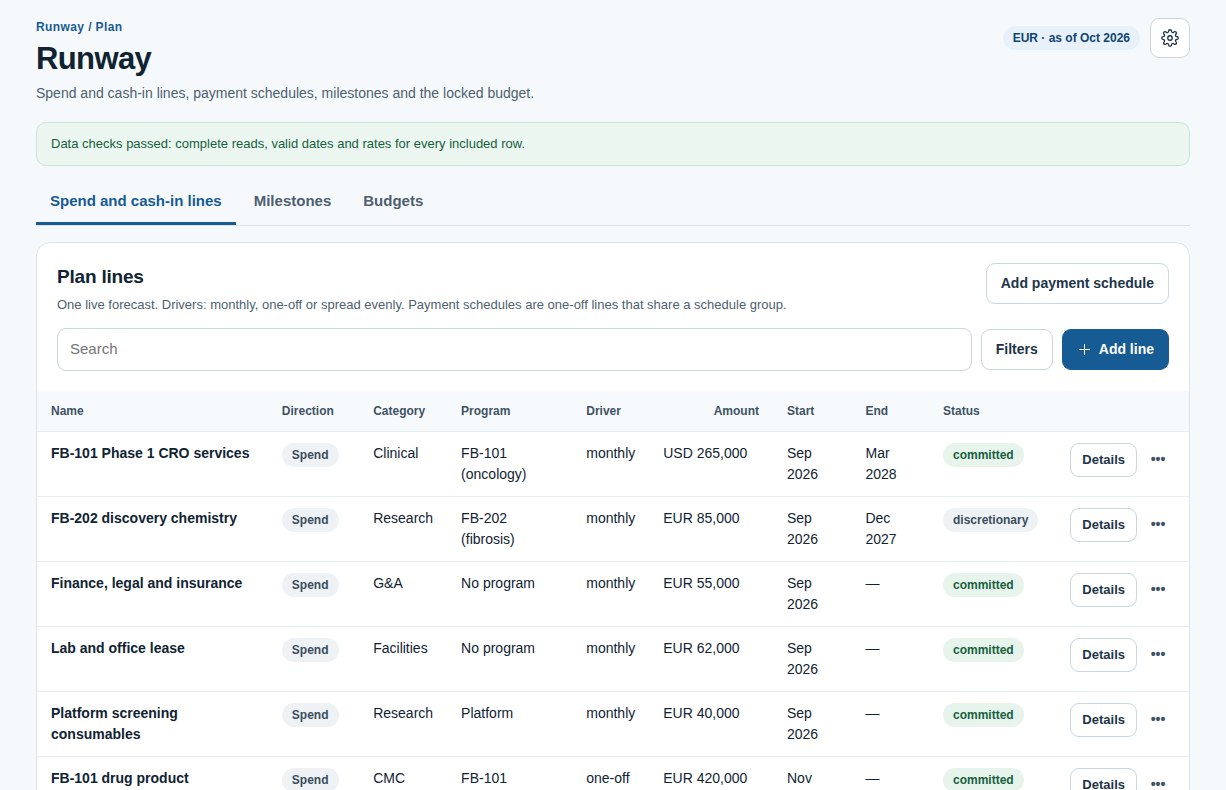
Aggregate the underlying movements by calendar month, not by the month containing a week’s end. This example has €310,000 payments in January, €160,000 in February and €160,000 in March, plus €40,000 on 2 April. Both receipts fall in February, so their monthly totals match even though weekly cash differs. The 13-week window runs 4 January–4 April; it is not exactly January–March.
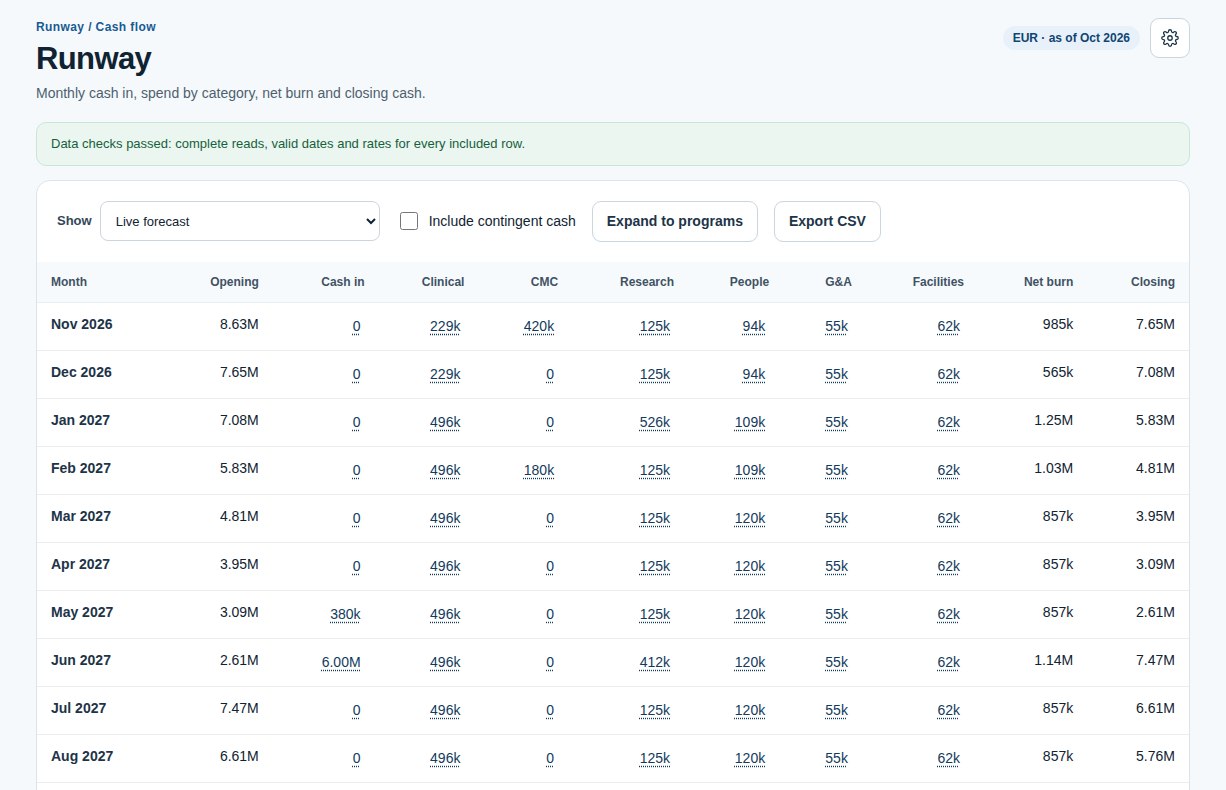
Keep the weekly file with its owner and review date, and reconcile updates with the longer-term cash forecast. Our free 12-month workbook is a separate monthly starter, not a 13-week template.
Start with Runway
Maintain the monthly company plan alongside your short-term cash review.
Start with Runway →