
Biotech finance · Series A comparison
TrialAgents Runway vs Airtable: a cash planning app or a model you build
Both support AI and custom workflows. The useful distinction is who owns the cash model beneath the interface.
First-party comparison of Runway 2.1.0 and Airtable’s public documentation, reviewed 13 November 2026. No hands-on Airtable benchmark or new ChatGPT/Claude acceptance test is claimed.
Start with TrialAgents Runway when you want monthly cash calculations, scenarios and close controls already defined in an adaptable biotech app. Choose Airtable when you want to design the data structure and workflow yourself, with someone responsible for validating and maintaining the resulting cash model.
A table of commitments is useful, but it does not by itself define a forecast. Recurring payments, opening balances, currencies and historical closes need explicit rules. This comparison follows that work from an AI request to a cash plan the team can maintain.
Use AI without handing it the arithmetic
TrialAgents supports the app interface and authorized operations through supported ChatGPT and Claude surfaces, then continued work in the browser. Ask for reviewed inputs, app changes or an explanation of a scenario. Runway’s app calculates financial outputs; the assistant must not invent forecasts or overwrite frozen closes.
Airtable also documents official ChatGPT and Claude connections. Its MCP server supports permitted record operations and app-building tasks. Host setup, authorization and supported surfaces matter for both products; this is not an exclusive-AI comparison.
Airtable’s built-in Omni assistant can help build apps and work with data. An AI-generated cash app still needs a reviewed model. Ask who will check its logic when the requirements change.
Customize from a defined model or design your own
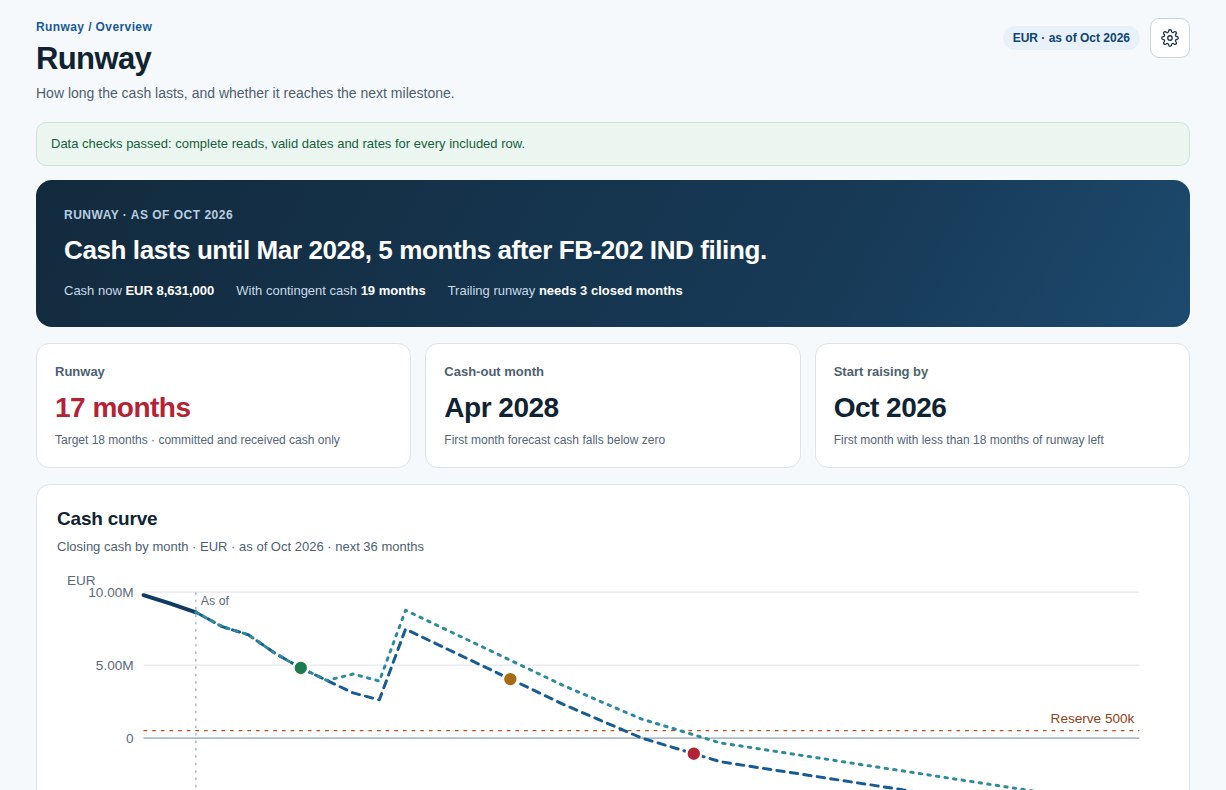
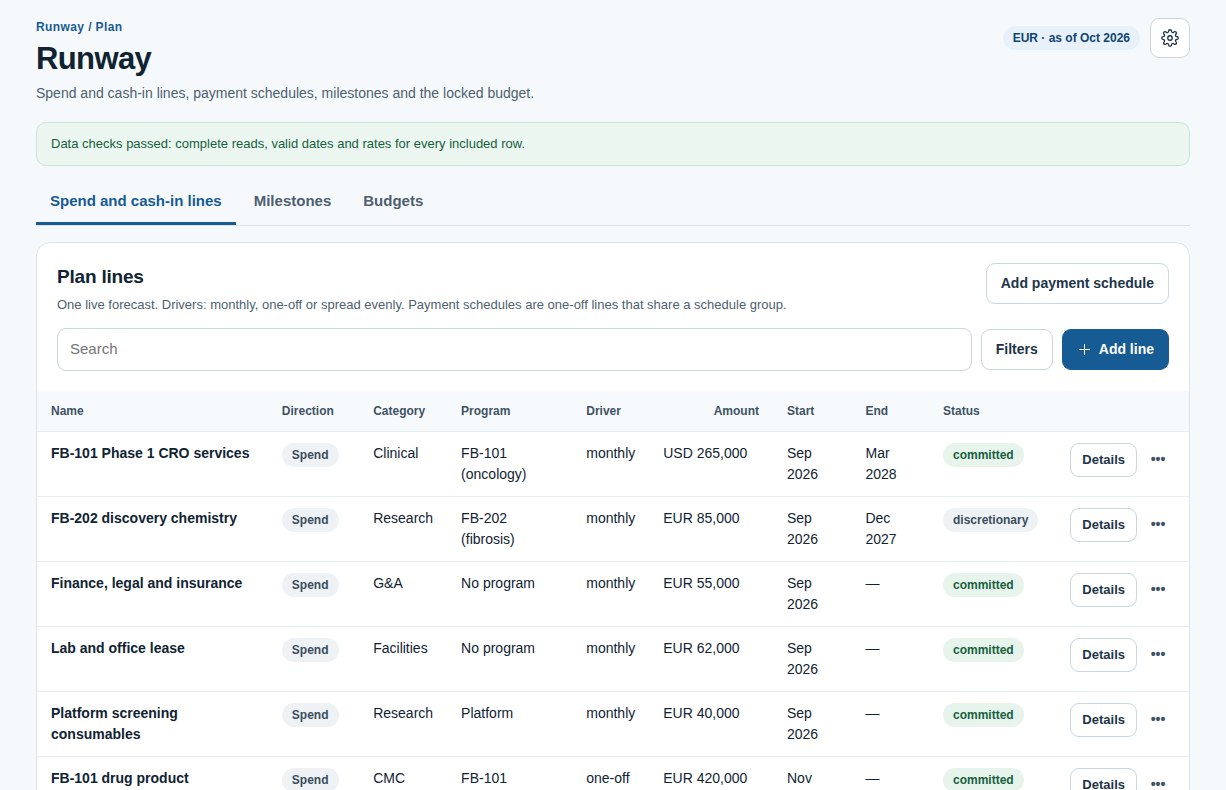
TrialAgents supports changes across fields, views, layouts, charts, logic and workflows, including bespoke apps. Runway provides the starting model: spend and cash-in lines, positions, milestones, scenarios, locked annual budgets and monthly closes. Changes to that model still require review and validation.
Airtable offers a flexible foundation for your own records and interfaces. Its formula documentation makes an important distinction: formulas operate on a record’s fields, rather than arbitrary spreadsheet cell ranges. Cross-record calculations need linked records with lookups or rollups.
For a runway app, decide how commitments become monthly cash movements, how balances carry forward and how forecasts stay separate from actuals. Airtable can be a good fit when your team wants to own that design. Runway is useful when those standard cash-planning rules fit and you want to adapt the surrounding workflow.
Define what a connection can change
Runway can connect to other TrialAgents apps through explicitly configured, permission-controlled bindings. Programs-owned milestones can appear read-only in Runway. Adding an app does not automatically wire its records into the forecast, and standard Runway has no native accounting or bank synchronization.
Airtable’s two-way sync between Airtable bases is distinct from its external sync integrations, which import data one way. Do not assume that editing a synced amount updates the source system. Confirm the available integration, direction, access and refresh behavior for your workflow.
Airtable also documents an operational boundary: MCP can prepare automation drafts, but activation happens in Airtable’s UI. Runway’s optional automations likewise need explicit configuration; neither a conversation nor a dashboard should be treated as proof that a background process is running.
Test a closed month before trusting the next one
Use this fictional evaluation brief: a biotech tracks monthly laboratory rent, a one-off CRO payment and a possible funding round. Finance closes January, then changes the forecast payment date for the CRO. The test is whether February’s plan changes without silently rewriting the January review.
- Define the inputs. Record a reconciled opening balance, reviewed payment dates and separate committed versus contingent funding. Do not count a potential raise as committed cash.
- Check the cash logic. Confirm that rent repeats only across its intended months and the CRO payment appears once. In an Airtable build, review the links, formulas and any automation that expands recurring commitments; a register total is not enough.
- Preserve the close. Runway’s Actuals workflow records a month close with a frozen snapshot written by the app. For an Airtable implementation, demonstrate how the chosen design preserves the reviewed historical figures while inputs and formulas continue changing.
- Separate exploration from adoption. Runway previews, saved scenarios and adopted forecasts are separate steps. Ask an Airtable builder to demonstrate equivalent decision states if your workflow needs them.
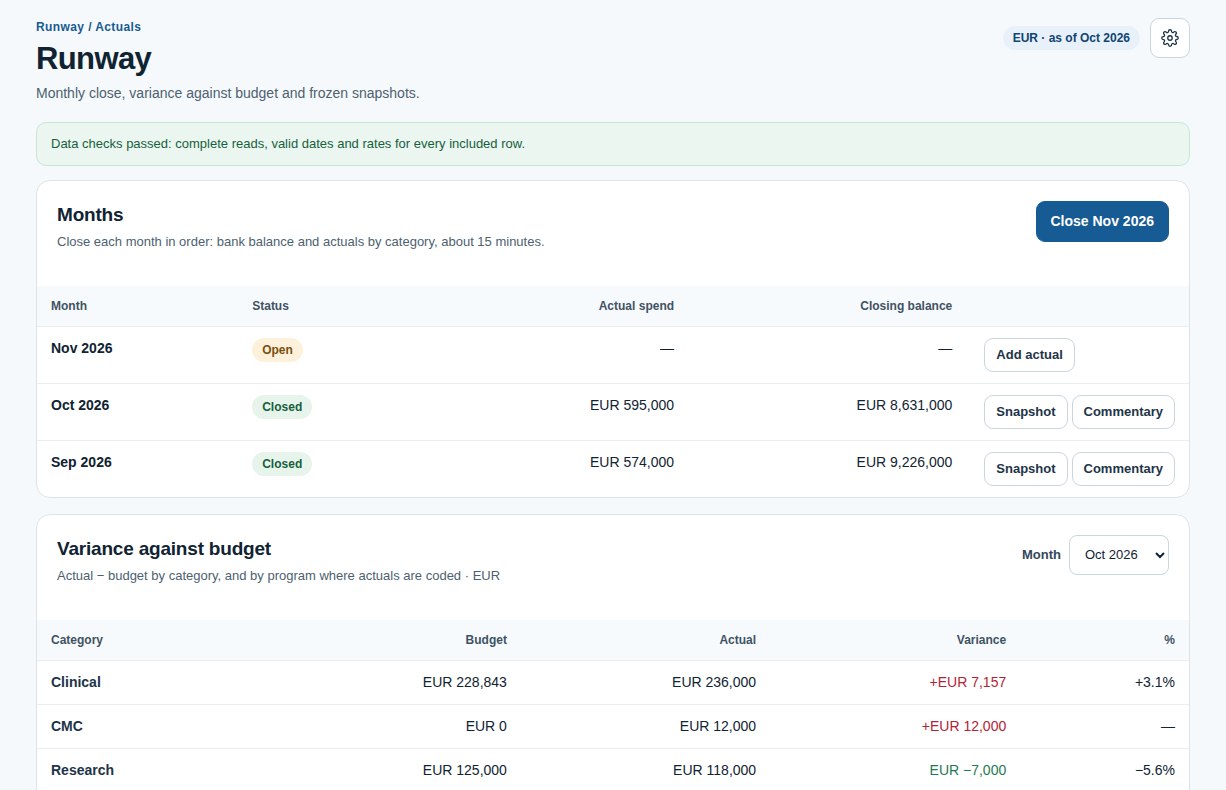
This is a review brief, not a claimed result from either product. The acceptance criterion is traceability: the team can explain the current forecast and reproduce the previously approved month.
Compare responsibilities, not just features
| Decision | TrialAgents Runway | Airtable |
|---|---|---|
| AI workflow | Supported app UI, operations and customization | Official assistant connections and Omni app building |
| Customization | Adapt an existing cash app or build bespoke apps | Design records, calculations and interfaces |
| Connections | Configured shared app data | Base sync and external integrations with distinct directions |
| Cash model | Defined monthly forecast engine | Validate the model your implementation supplies |
| Historical review | Locked budgets and frozen monthly closes | Demonstrate the preservation controls in your chosen design |
Choose the model your team can maintain
Start with Runway if its monthly cash model fits and you want to concentrate on reviewed assumptions, decisions and app customization. Choose Airtable if a broader custom operational system is the priority and your team is prepared to maintain its financial logic.
Runway is not bookkeeping, payroll, integrated three-statement forecasting or an external 13-week treasury model. Read the Runway ChatGPT workflow to see how assistant proposals and app review fit together.
Start with Runway
Begin with a defined monthly cash model, then adapt the app around your biotech’s decisions.
Start with Runway →