
Biotech finance · Series A comparison
TrialAgents Runway vs Float: cash forecasting for biotech startups
An AI-native, customizable biotech planning app or an accounting-connected cash forecasting tool? The right choice depends on where your cash decisions start.
First-party comparison based on published Float materials and the Runway 2.1.0 specification, not a hands-on benchmark. Screenshots show the Runway browser app with fictional demo data, not embedded ChatGPT or Claude.
Choose Runway to plan biotech programs, milestones, hiring and funding in a customizable app you can work with through ChatGPT and Claude. Choose Float when your primary need is cash visibility driven by Xero or QuickBooks invoices, bills and transactions. Both support scenario thinking; their sources of financial truth differ.
01Work with the actual app in ChatGPT and Claude
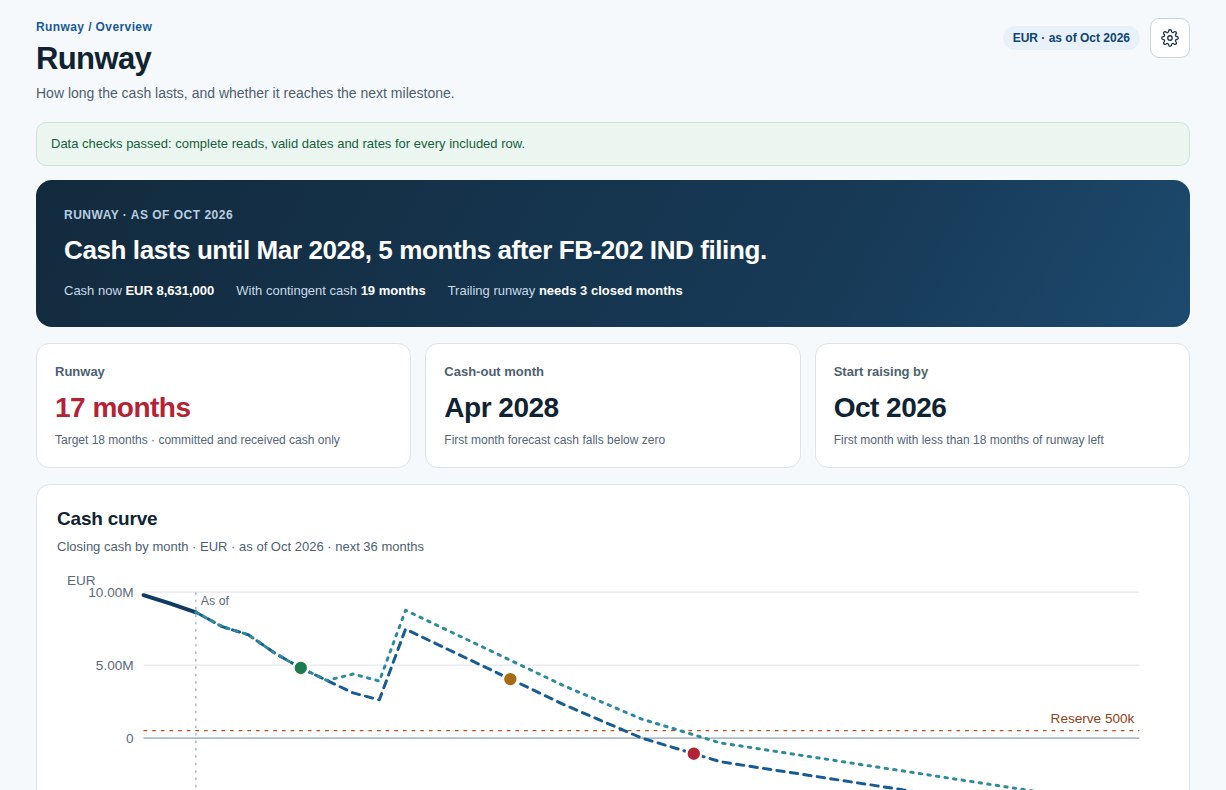
TrialAgents is designed for using and managing persistent apps through supported ChatGPT and Claude integrations, as well as on the web. Rather than asking a chatbot to produce an isolated forecast, your team can ask it to prepare reviewed inputs, propose changes to an authorized app and explain the results of the app’s deterministic calculations. Host support and write permissions must be checked separately.
For example, a CEO can ask for a scenario in which a Phase I milestone moves three months. Runway can preview the program-linked cash consequences; saving and adopting the scenario are distinct decisions. Float’s published product materials instead center on accounting-connected forecasts and cash visibility. This does not establish that Float has no AI capabilities.
02Customize more than the forecast assumptions
TrialAgents can customize fields, views, charts, layouts, logic and workflows—or build a bespoke app—within platform and permission limits. A biotech team might add a board-review view or adapt a program commitment workflow without abandoning its existing records.
Float offers its own forecast controls and what-if modeling. Its Xero forecasting materials discuss forecast categories and scenario planning. The distinction is whole-app customization versus configuration of a purpose-built accounting cash forecast, not customization versus none.
03Connect decisions across your biotech
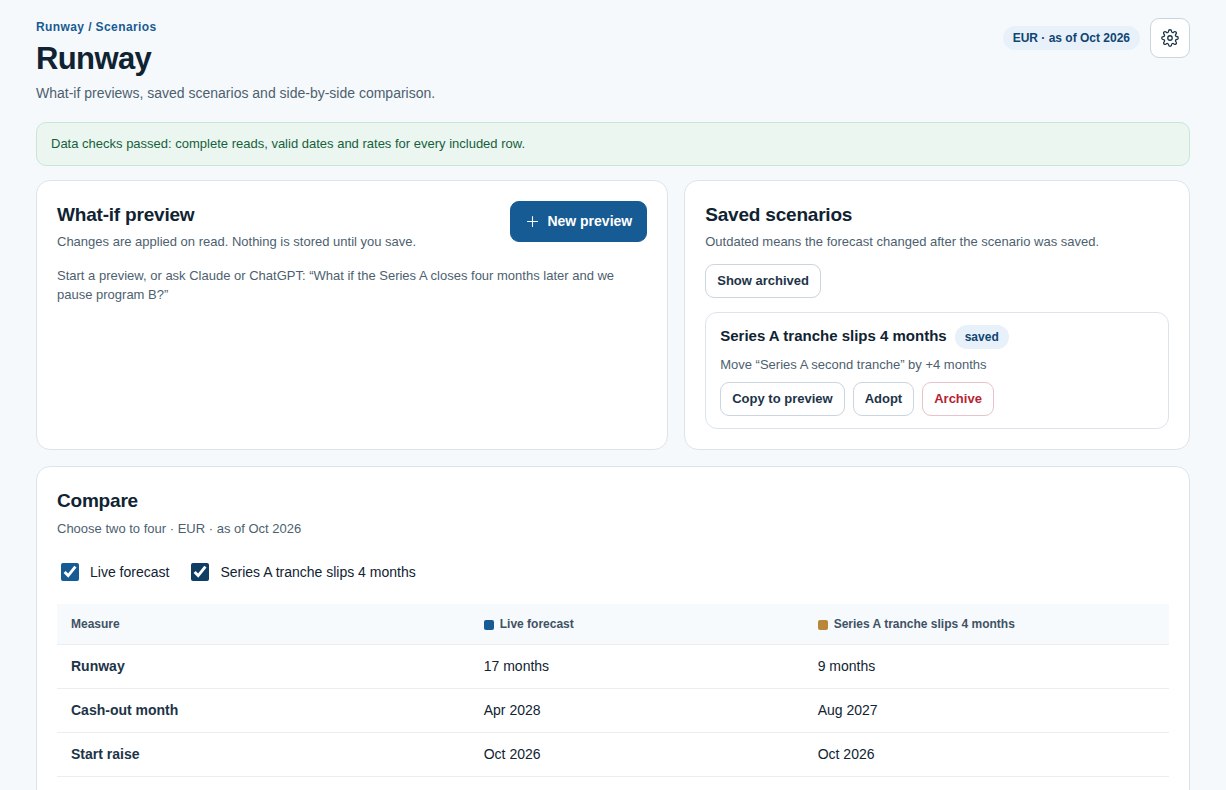
Runway can connect to other authorized TrialAgents apps, such as Programs or operational trackers, through explicit data bindings. This can link milestones and planned commitments to cash decisions without implying that all apps synchronize automatically. TrialAgents also offers configurable access controls, logs and optional automations.
Float’s core advantage is different: supported accounting integrations with Xero and QuickBooks. These can bring the invoices, bills and transaction data needed for short-term cash management into the forecast. Standard Runway does not have native Xero or QuickBooks synchronization, and there is no verified built-in Float–Runway connection.
04Monthly program planning or detailed payment visibility?
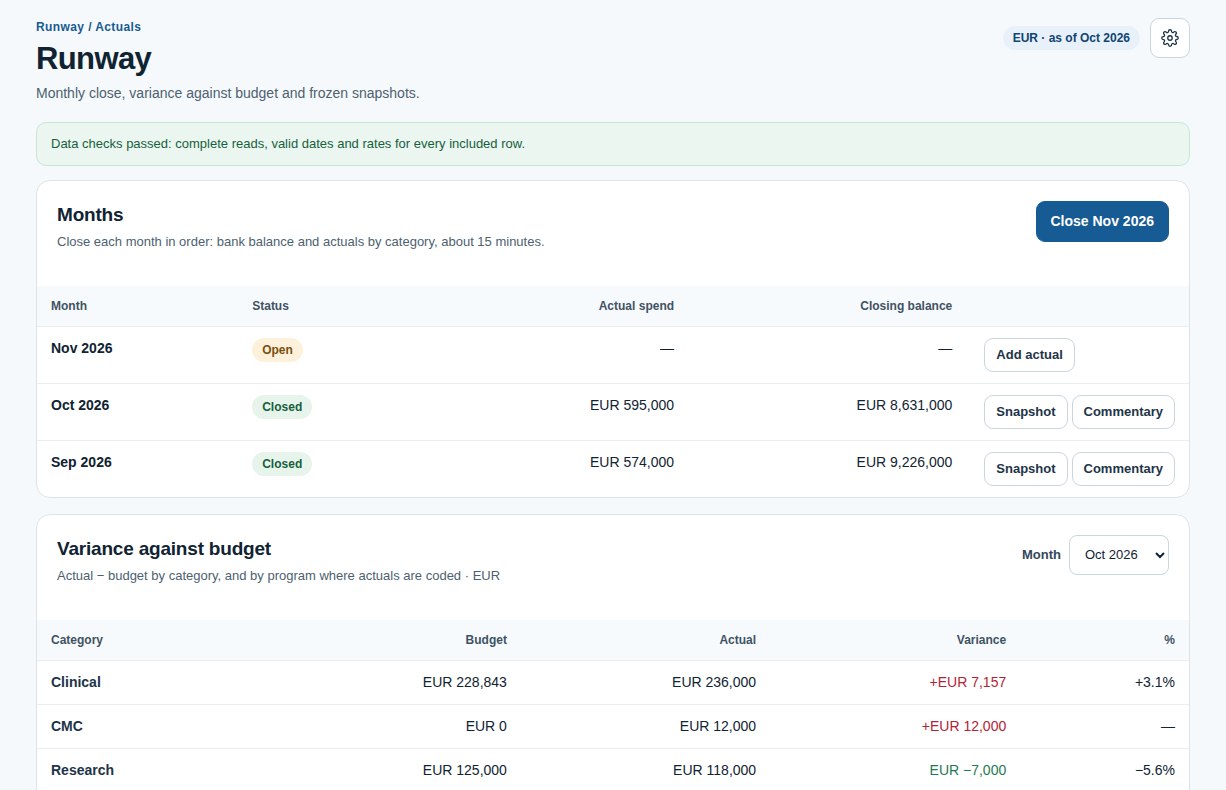
Runway is designed around monthly operating spend, R&D programs, people, funding milestones, actuals, locked budgets and saved snapshots. A clinical trial delay can be modeled as a program-linked timing scenario; the app calculates the resulting monthly cash forecast. A payment delay does not itself reduce contractual costs.
Float’s QuickBooks guide describes daily, weekly and monthly cash views, forecast scenarios and accounting-derived timing. Its advisor materials describe role-based permissions. Neither scenarios nor budgets-versus-actuals are unique to Runway.
05Runway vs Float at a glance
| Workflow | TrialAgents Runway | Float |
|---|---|---|
| Primary purpose | Biotech program and monthly runway planning | Accounting-connected cash forecasting |
| AI-native work | Use and customize authorized apps through supported ChatGPT/Claude integrations | Published product focus is cash forecasting; other AI host workflows not independently tested |
| Customization | Whole-app fields, layout, logic and bespoke workflows | Forecast categories, scenarios and assumptions |
| Connected systems | Explicit authorized TrialAgents app connections; no native accounting sync | Xero and QuickBooks integrations |
| Time horizon | Monthly forecasts and milestone scenarios | Daily, weekly and monthly cash views |
| Controls | Permissions, logs, actuals, locked budgets, optional automation | Role permissions, actuals comparisons and scenario planning |
Documented standard workflows as reviewed 13 November 2026; not feature-parity testing. Float requires a supported accounting connection.
06Which should your team choose?
Choose Runway when the critical decisions concern clinical programs, milestone timing, team expansion and funding scenarios—and you want those decisions connected to a customizable app workspace. Choose Float when reconciled accounting records and near-term payment visibility are the priority. Both can be complementary if finance maintains a reviewed reconciliation process; do not assume automatic synchronization.
Start with Runway
Model one program, one cash commitment and one downside scenario in an AI-native biotech app you can adapt to your team.
Start with Runway →